Documentation
Programs Management
Section titled “Programs Management”Click the Programs button to open Machine Programs.

The Select Program button (if available) enables service staff to directly set a program for the selected machine from the backend interface.
Click on the program card to go to the Program Page.
Program Page
Section titled “Program Page”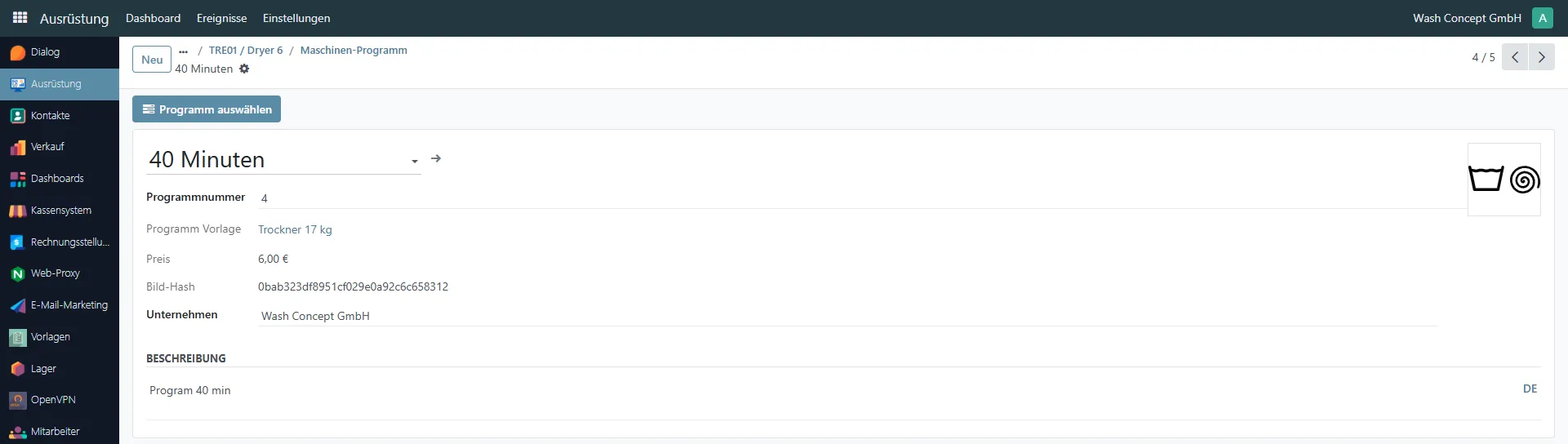
This page displays the details of a specific machine program that can be executed on a drying machine. It is used by service and technical staff to review program parameters and, if required, assign the program directly to a machine (Select Program Button).
Program Information
Section titled “Program Information”The upper section contains the main program parameters:
- Program Name – The name of the program as shown to users (e.g.
40 Minuten). Using the arrow in this field, you can navigate to the Product that represents this program. - Program Number – The internal program index used by the machine. You can change it.
- Programs Template – The program template this program belongs to.
Clicking the template name opens the Template Overiew Page. - Price – The price assigned to this program. The value is inherited from the selected price list of the template.
- Image Hash – Technical identifier of the program icon/image.
- Company – Your company name.
- Description – The field contains a textual explanation of the program’s purpose and usage.
This information is intended for service staff and administrators and can be edited if needed.
An icon on the right side visually represents the program (for example, program execution time).
Select Program
Section titled “Select Program”The Select Program button allows service personnel to assign this program directly to the selected machine from the backend.
Program duplication or removal
Section titled “Program duplication or removal”Using the “gear” button, you can duplicate or delete the program.
Program as Product
Section titled “Program as Product”This page represents a drying machine program as an Product. It is used for pricing, taxation, sales configuration, and accounting purposes.
You can navigate Product Card from the Program Page (click arrow in field Product Name) or via
Menu path:
Sales → Products → Select Product Card
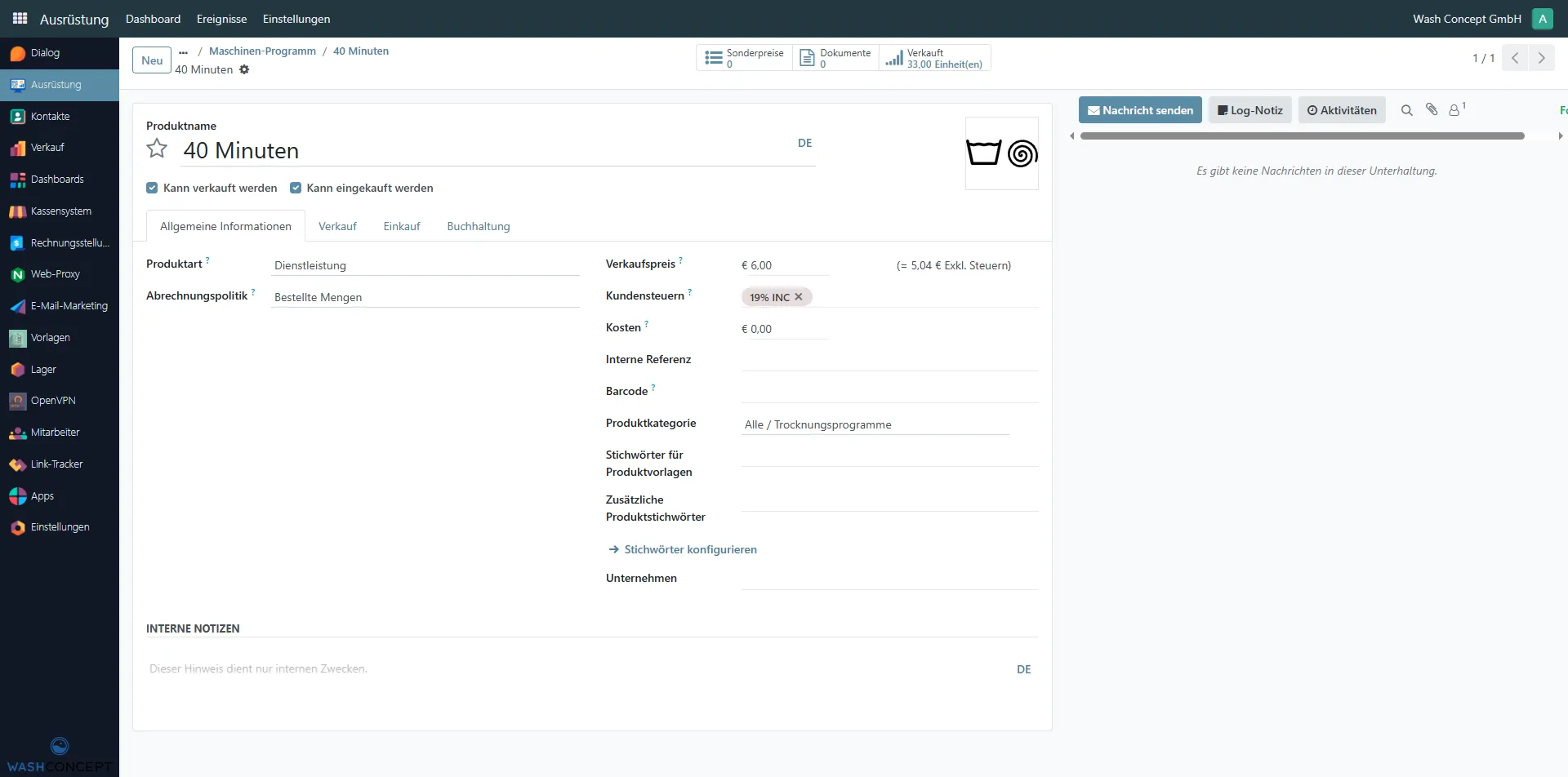
Each drying program is a Service-type Product.
This allows the system to:
- Assign prices to programs
- Apply taxes
- Track sales statistics
General Information
Section titled “General Information”The General Information tab contains the core product settings:
- Product Name – The name of the drying program (e.g.
40 Minuten). - Product Type – Set to Service, as the program is not a physical product.
- Can be Sold – Enables the program to be sold to customers.
- Can be Purchased – Enabled for internal accounting and configuration flexibility.
- Sales Price – The price customers pay for this program.
- Customer Taxes – Taxes applied to the program price.
- Cost – Internal cost value (typically
0.00). - Internal Reference – Internal program identifier.
- Barcode – Optional field.
- Product Category – Category used for reporting and accounting (e.g. drying programs).
- Tags – Used for internal classification and filtering.
- Company – The company that owns this product.
Sales, Purchase, and Accounting Tabs
Section titled “Sales, Purchase, and Accounting Tabs”Additional tabs allow further configuration:
- Sales – Sales-related settings and optional descriptions.
- Purchase – Purchase-related configuration (usually not actively used for programs).
- Accounting – Revenue and accounting rules for correct financial reporting.
These settings ensure that drying programs are correctly processed in invoices, reports, and financial documents.
Product Sales Report
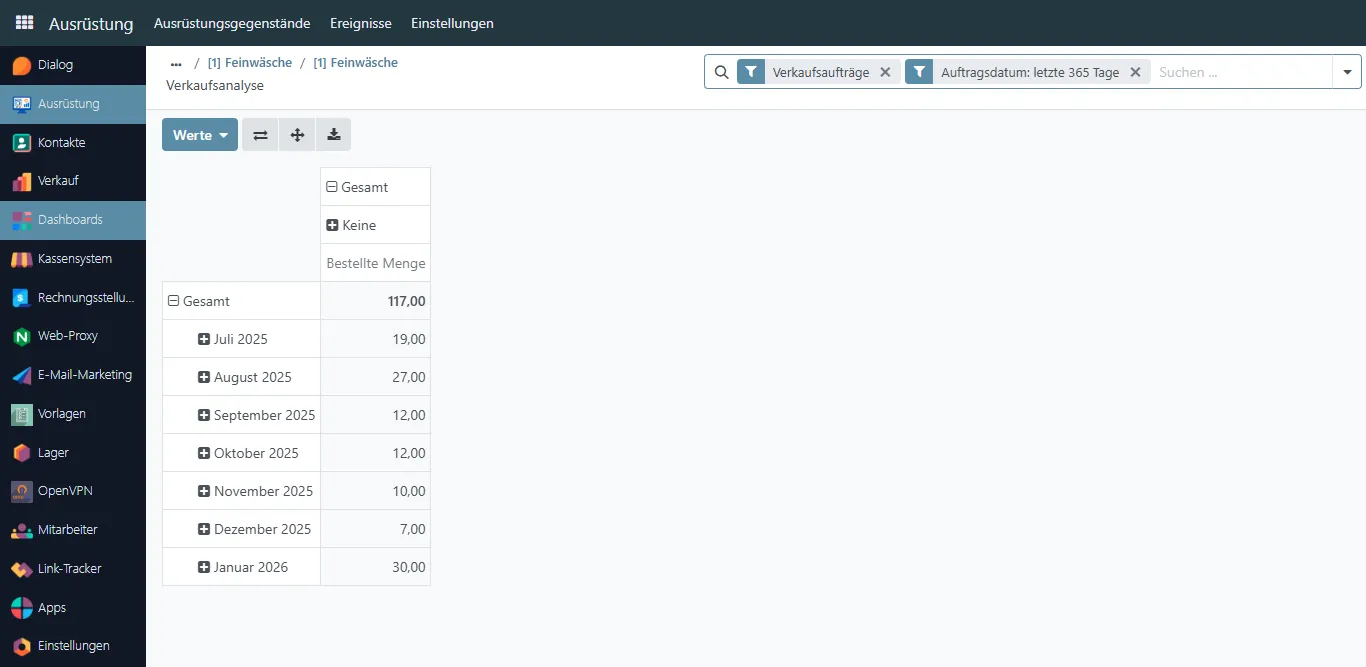
Section titled “Product Sales Report”Click on the Sales button to see the sales report for this program.