Documentation
Program Template Management
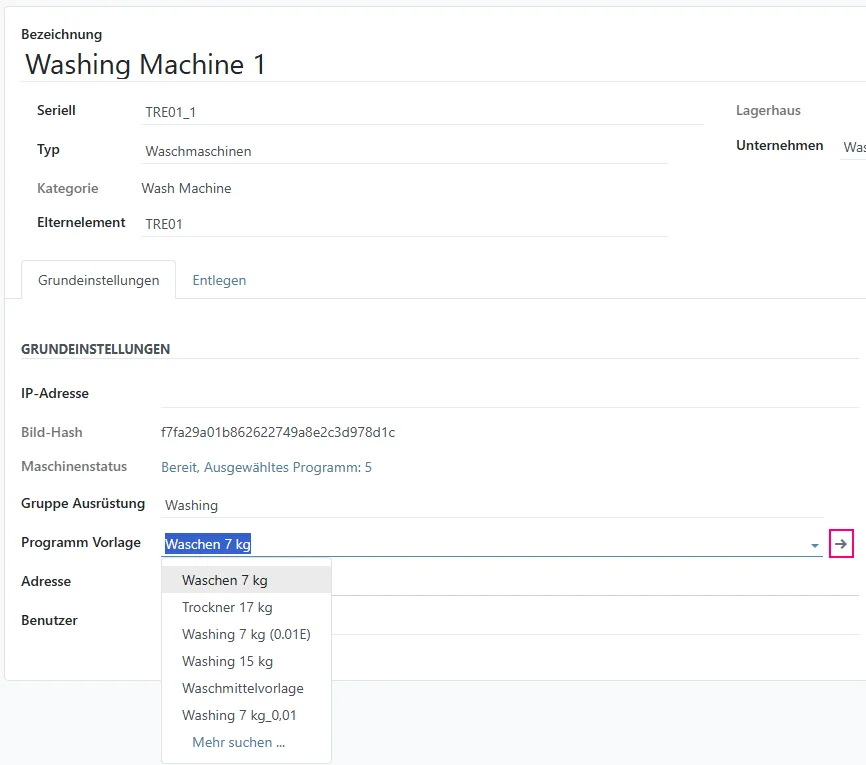
Section titled “Program Template Management”On the washing machine configuration page, you can assign a Program Template to the washing machine and open the Program Template Overview page using the arrow next to the Programs Template field.
Program Template Overview
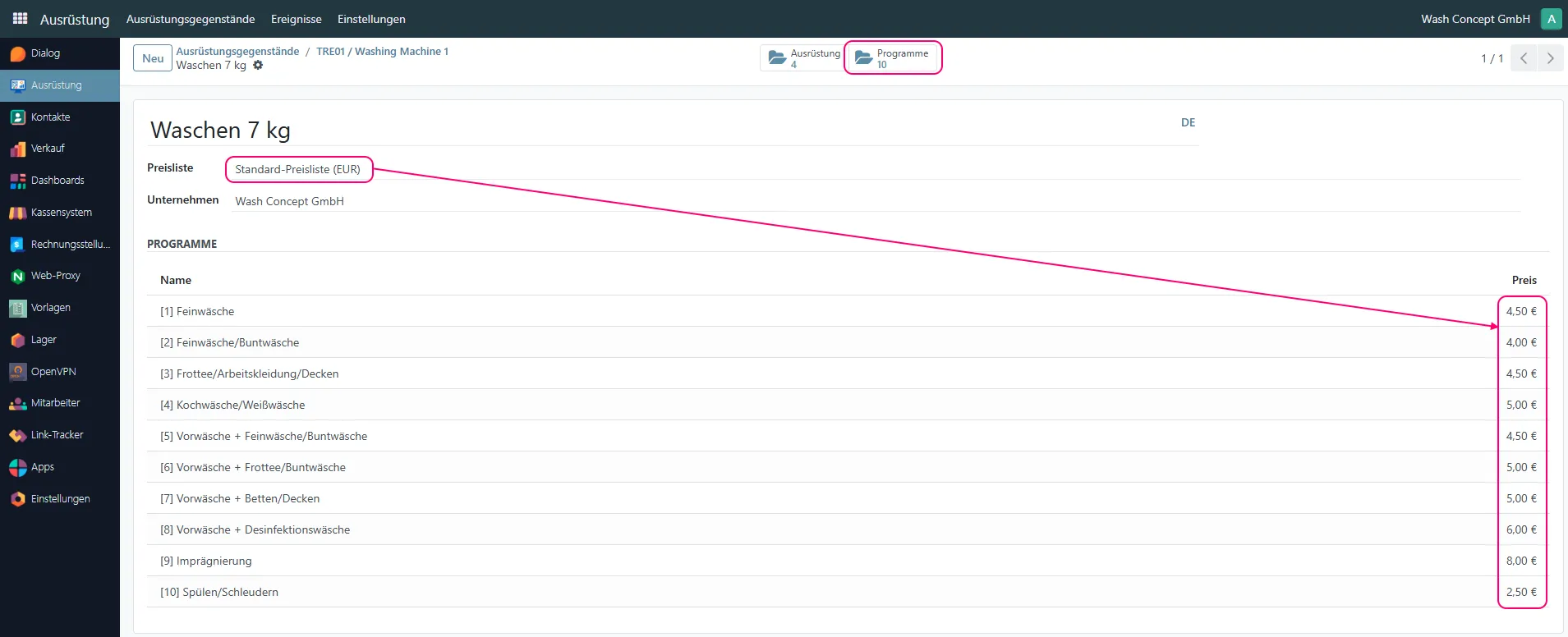
Section titled “Program Template Overview”This page displays the details of a program template used by washing machines.
A program template defines a predefined set of washing programs and their prices, which can be applied to multiple machines.
Available Programs
Section titled “Available Programs”The Programs section shows a list of all washing programs included in the selected template.
For each program, the following information is displayed:
- Program number
- Program name
- Price
The program list on this page is read-only.
Pricelist Selection
Section titled “Pricelist Selection”The Pricelist field allows you to select a pricelist for selected template.
When a different pricelist is selected, prices for all programs within the template are updated automatically according to the selected pricelist.
This approach allows quick price updates for all related programs without editing them individually.
Template duplication or removal
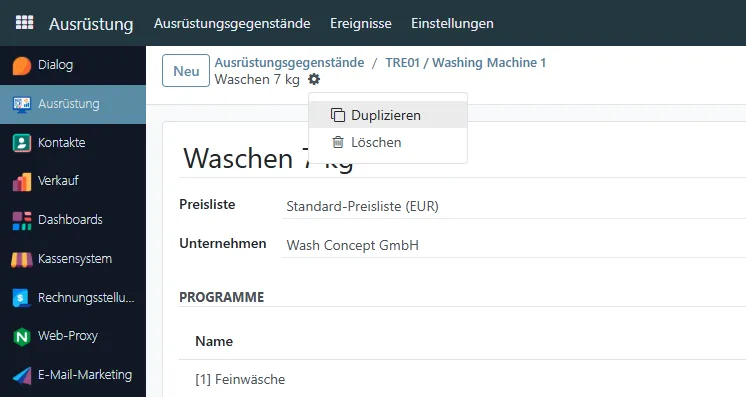
Section titled “Template duplication or removal”Using the “gear” button, you can duplicate or delete a template.
Navigation and Related Actions
Section titled “Navigation and Related Actions”-
Programs
Opens the Machine Programs Page, where you can add, remove, or modify programs included in this template. -
Equipment
Displays a list of equipment (washing machines) that currently use this program template.