Documentation
Coin Cashbox Management
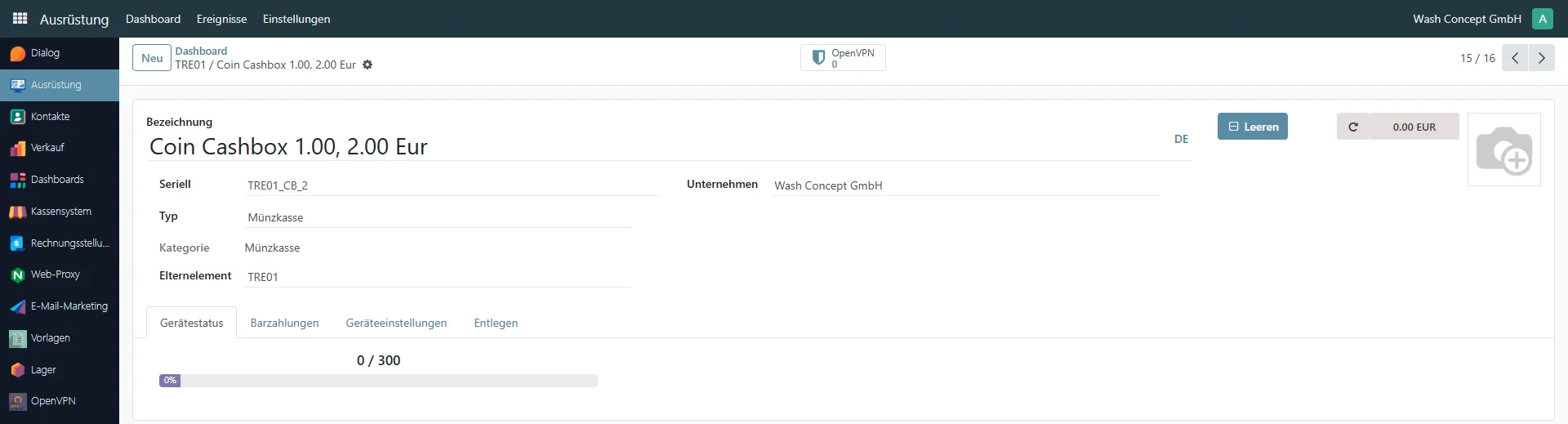
Section titled “Coin Cashbox Management”The Coin Cashbox Management page is used to monitor and manage the physical coin cashbox connected to a vending unit.
This page provides identification details, capacity status, and an overview of the current coin inventory stored in the cashbox.
You can access this page from the Equipment Items list or from the Devices Page overview of a vending unit.
Page Purpose
Section titled “Page Purpose”This page allows service personnel to:
- Identify the coin cashbox device
- Monitor its current fill level
- View the total stored amount
- See the breakdown by coin denomination
- Perform cashbox clearing operations
Header Information
Section titled “Header Information”The top section contains general device information:
- Name — device name (e.g. Coin Cashbox 0.10, 0.20, 0.50 Eur)
- Serial — unique serial identifier (e.g.
TRE01_CB_1) - Type — equipment type (Coin Cashbox)
- Category — equipment category
- Parent — vending unit controlling this device
- Company — owning company
On the right side:
- The last event of the device is displayed (e.g.
37.60 EURmeans the amount of the last deposit/withdrawal, etc.). It`s clicable - navigate to Coin Cashbox Event List. Here it is Refresh Latest Event button. - Clear button — used to empty the cashbox.
Navigation Tabs
Section titled “Navigation Tabs”The following tabs are available:
- Device Status
- Cash Payments
- Device Settings
- Remote
Device Status Tab
Section titled “Device Status Tab”The page displays:
-
Current Coin Count / Maximum Capacity
Example:141 / 1500 -
Capacity Percentage Indicator
A progress bar visually shows how full the cashbox is (e.g. 9%).
This allows operators to quickly determine whether the cashbox needs servicing.
Coin Inventory Breakdown
Section titled “Coin Inventory Breakdown”Below the capacity indicator, the total stored amount is displayed (e.g. 37.60 €).
The inventory is broken down by denomination:
41 × 0.10 EUR55 × 0.20 EUR45 × 0.50 EUR
This provides a detailed overview of the exact composition of coins inside the cashbox.
Cash Payments Tab
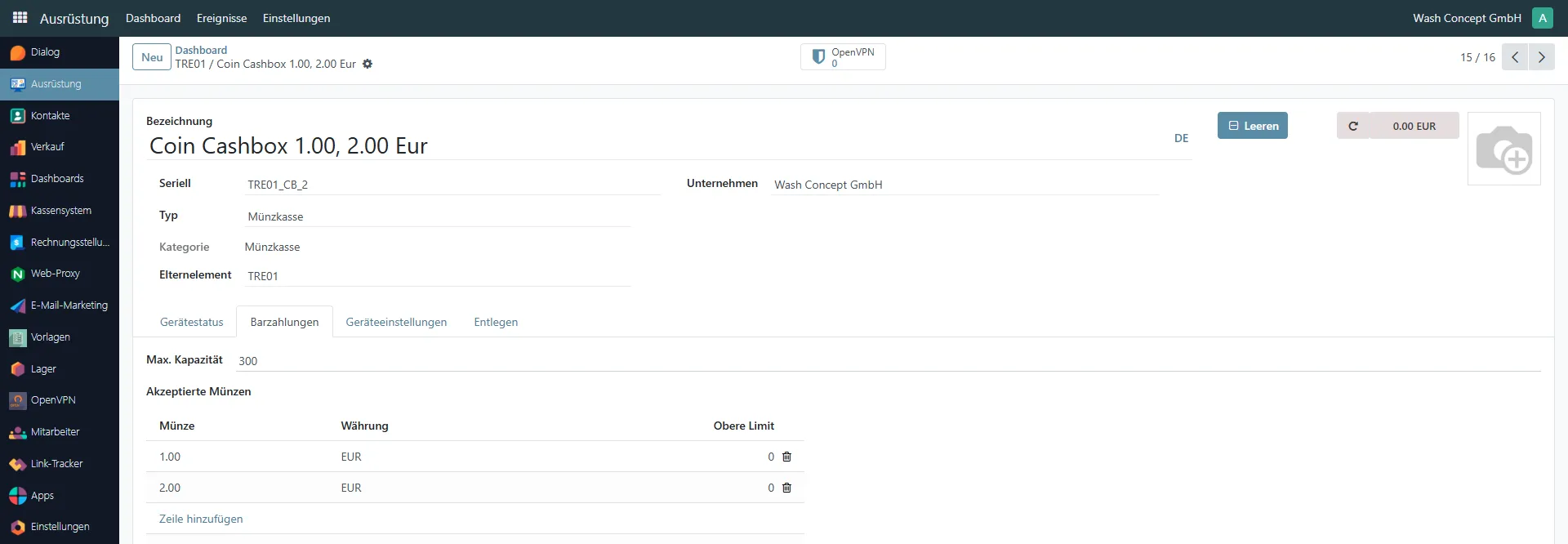
Section titled “Cash Payments Tab”The Cash Payments tab is used to configure which coin denominations are accepted by the coin cashbox and to define operational limits for each denomination.
This tab allows service personnel to control how many coins of each type can be stored and processed.
Max. Capacity
Section titled “Max. Capacity”- Max. Capacity — maximum number of coins the cashbox can store
(e.g.1,500coins)
This value defines the total physical capacity of the cashbox.
Accepted Coins
Section titled “Accepted Coins”The Accepted Coins section lists all coin denominations that the cashbox supports.
Each row contains:
- Coin — coin denomination (e.g. 0.10, 0.20, 0.50)
- Currency — currency type (e.g. EUR)
- Upper Limit — maximum number of coins allowed for this denomination. If the value is 0, then it is limited only by the maximum number of coins this cash box can store (Max. Capacity).
Managing Coin Denominations
Section titled “Managing Coin Denominations”You can:
- Click Add a line to add a new denomination
- Modify the Upper Limit value
- Remove a denomination using the trash icon
⚠ Changes in this tab directly affect how the system manages physical coin storage and denomination distribution.
Clear Button
Section titled “Clear Button”The Clear button is used to reset the recorded coin balance in the Coin Cashbox. The system sets the number of stored coins to zero.
⚠ Important: This action does not physically empty the device.
The physical emptying of the cashbox must be performed manually by service personnel.