Configure Draft Creation Frequency
Draft email creation is performed automatically by a scheduled system process.
This process periodically collects system events based on configured rules and generates email drafts that will later be sent to recipients.
Where to Configure
Section titled “Where to Configure”Navigate to:
Settings → Technical → Scheduled Actions
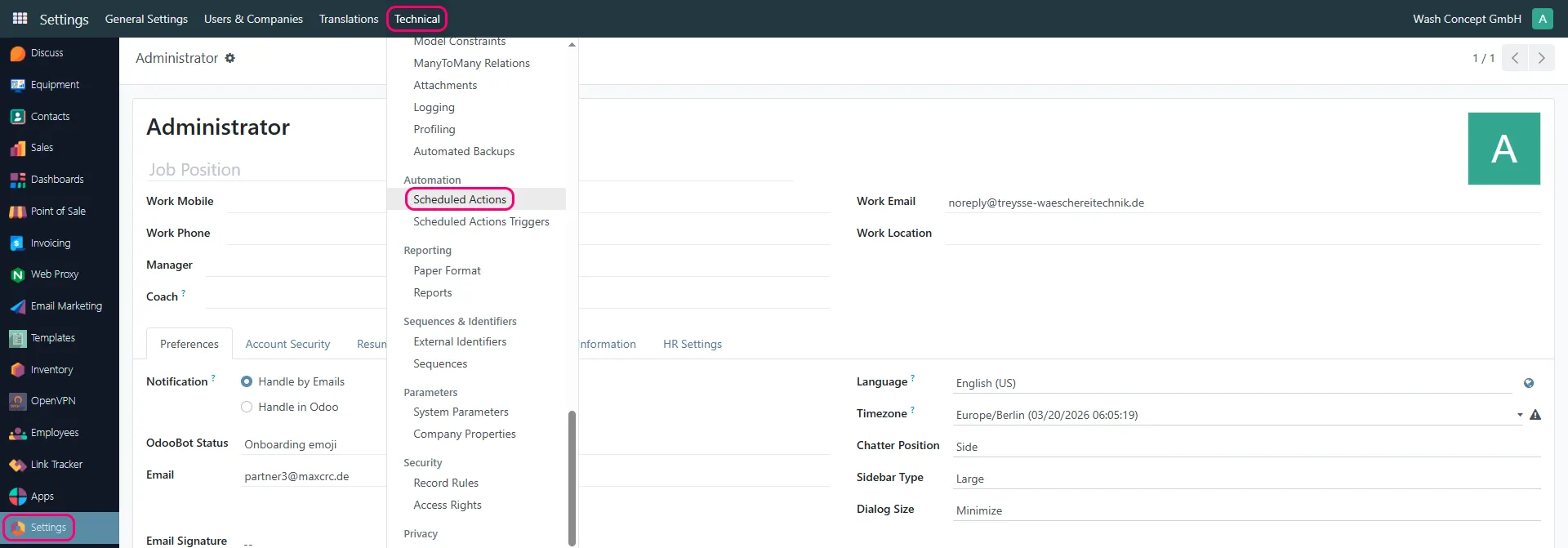
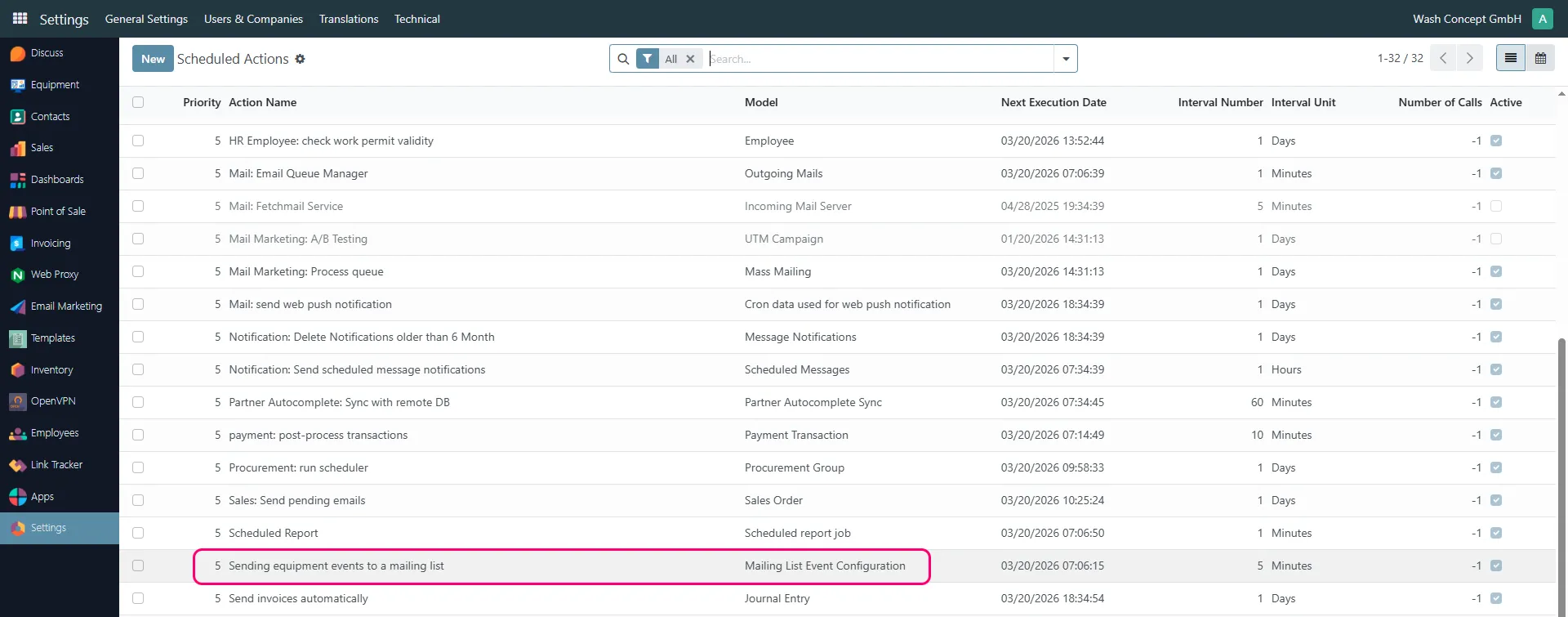
Find the scheduled action:
Sending equipment events to a mailing list
Key Parameters
Section titled “Key Parameters”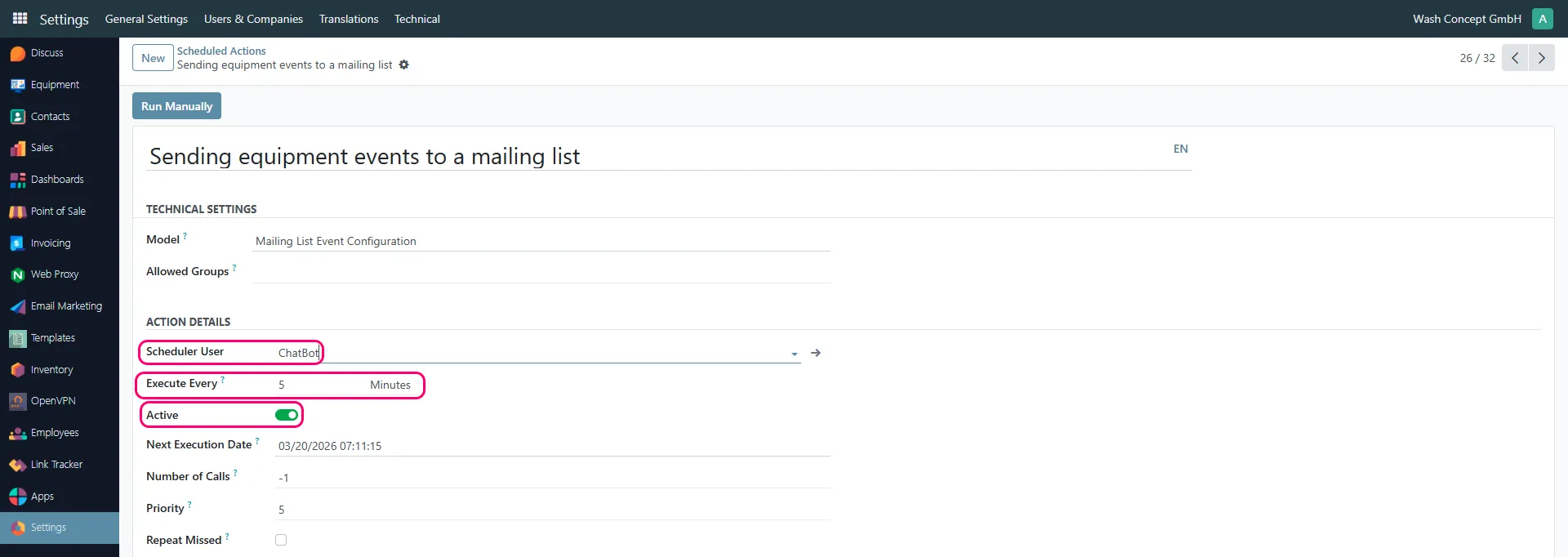
Scheduler User
Section titled “Scheduler User”Defines the system user under which the process is executed.
- Typically set to a system or service user (e.g. ChatBot)
Execute Every
Section titled “Execute Every”Defines how often the system generates email drafts.
Example:
5 Minutes→ drafts are generated every 5 minutes
⚠️ This parameter controls how frequently the system collects and prepares notification data.
Active
Section titled “Active”Enables or disables the scheduled process.
- Enabled → drafts are generated automatically
- Disabled → no drafts will be created
Next Execution Date
Section titled “Next Execution Date”Displays the next planned execution time.
Number of Calls
Section titled “Number of Calls”Defines how many times the action will be executed.
-1→ unlimited (recommended)
Priority
Section titled “Priority”Defines execution priority compared to other scheduled actions.
How It Works
Section titled “How It Works”- The scheduler runs at the defined interval
- System collects events based on Mailing List Event Configuration
- If the specified events occur Email drafts are generated
- Drafts are stored and prepared for sending
Recommendations
Section titled “Recommendations”- Use short intervals (e.g. 5–10 minutes) for near real-time notifications
- Ensure the action is Active
- Do not change the model or technical parameters unless necessary
- This step only creates draft emails
- Sending emails is configured separately
- If disabled, no notifications will be prepared
- If an event occurs once, a notification for it is created only once