Random Discount Program
The Random Discount loyalty program allows the system to randomly issue discount coupons after completed sales.
When a customer completes an order, the receipt may contain a QR code with a predefined discount value. The customer can later use this QR code during the next purchase.
Typical use case:
- The customer completes an order.
- The system prints a QR code with a discount coupon on the receipt.
- The customer keeps the receipt.
- During the next purchase, the customer scans the QR code on the vending unit.
- The system automatically reduces the payment amount by the configured discount percentage.
Example:
- QR code contains an 11% discount
- The customer scans the code during the next order
- The final order amount is reduced by 11%
You can create as many Random Discount programs as required.
Required System Configuration
Section titled “Required System Configuration”Before using the Random Discount program, the system must already contain a predefined product category and product.
These settings are usually configured by the system developer and should not be modified.
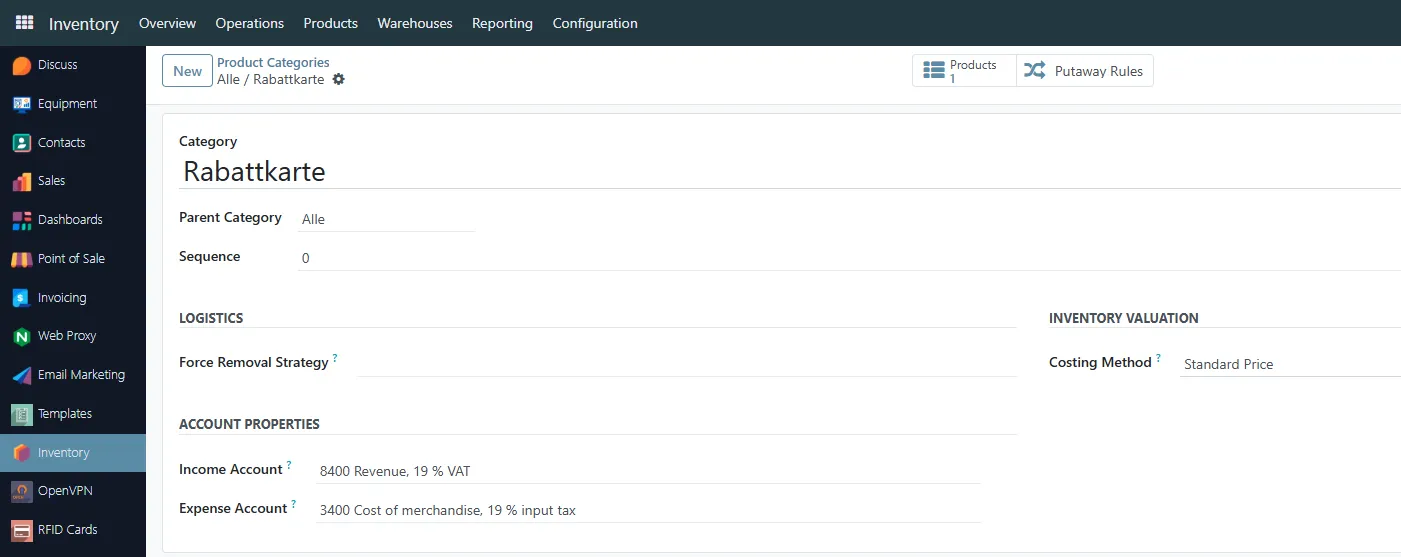
Product Category
Section titled “Product Category”A special product category named:
- Rabattkarte
is used for the discount card products.
Discount Product
Section titled “Discount Product”A special product named:
- Discount Card
must exist inside the Rabattkarte category.
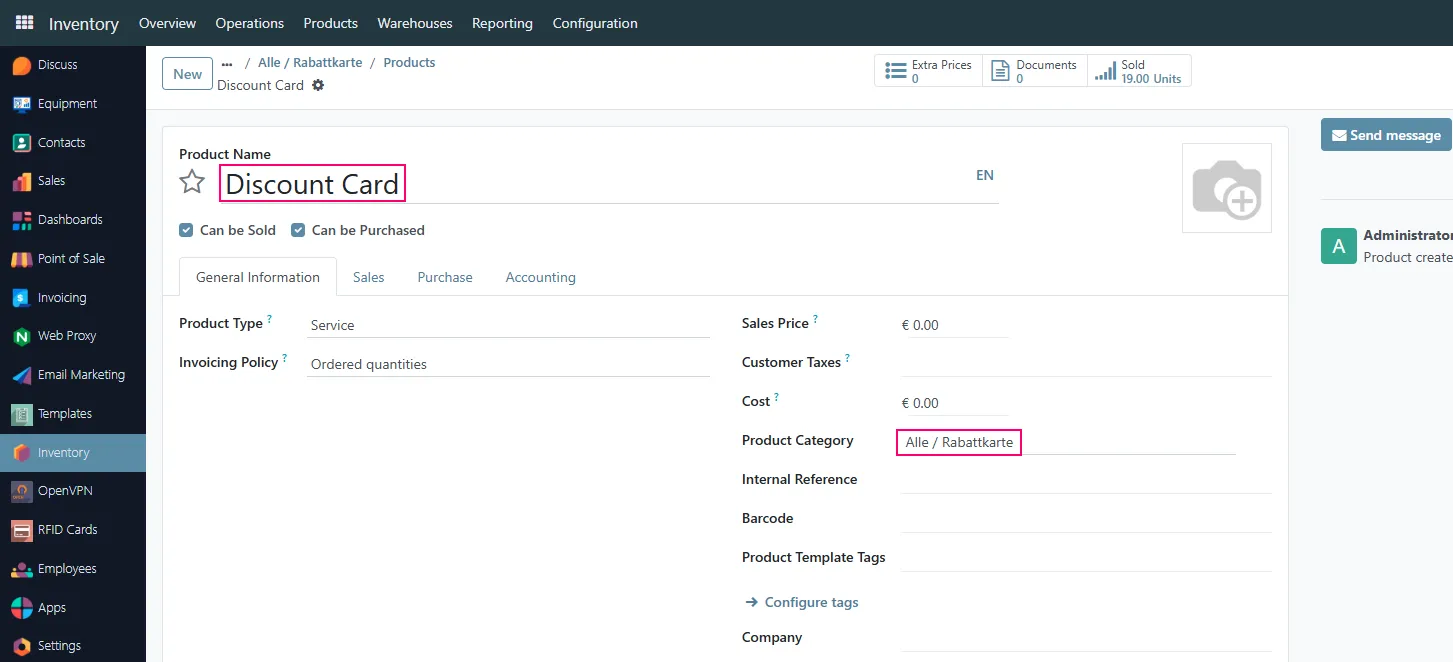
This product is used internally by the loyalty system.
Changing these settings is not recommended.
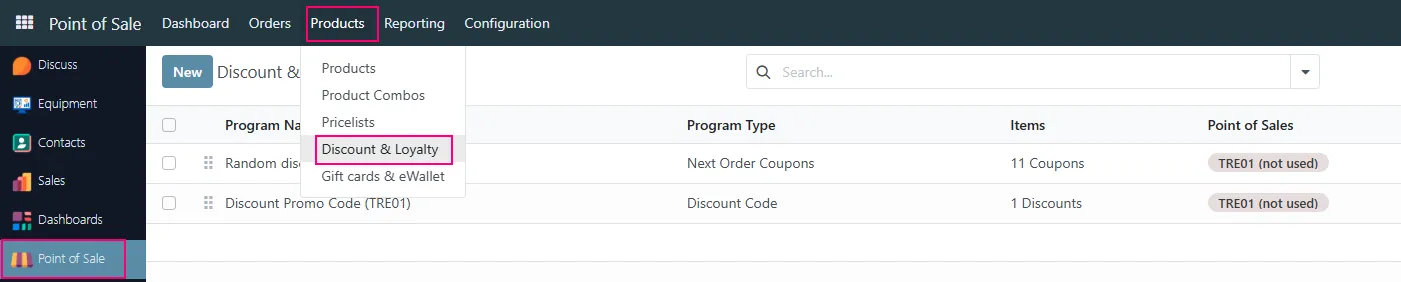
Opening Loyalty Programs
Section titled “Opening Loyalty Programs”To configure the Random Discount program:
- Open the Point of Sale module
- Navigate to:
- Products → Discount & Loyalty
Selecting the Program
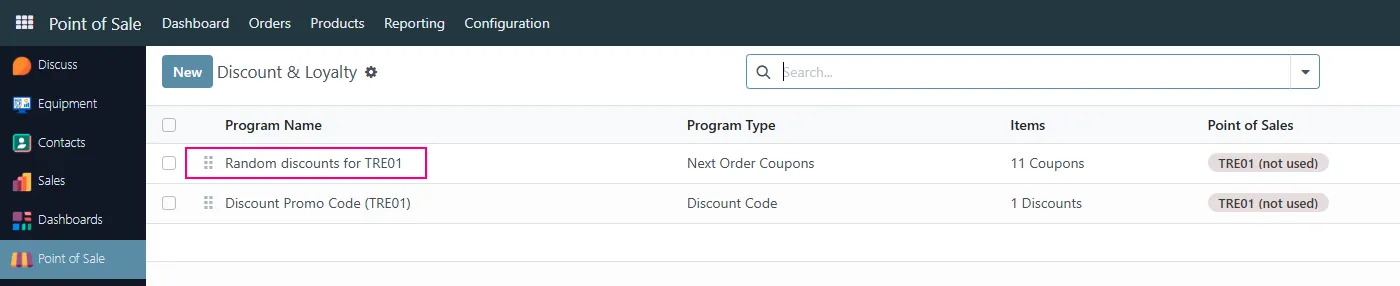
Section titled “Selecting the Program”Open the required Random Discount program from the list.
Example:
- Random discounts for TRE01
Random Discount Program Configuration
Section titled “Random Discount Program Configuration”The program configuration defines how discount coupons are generated and used.
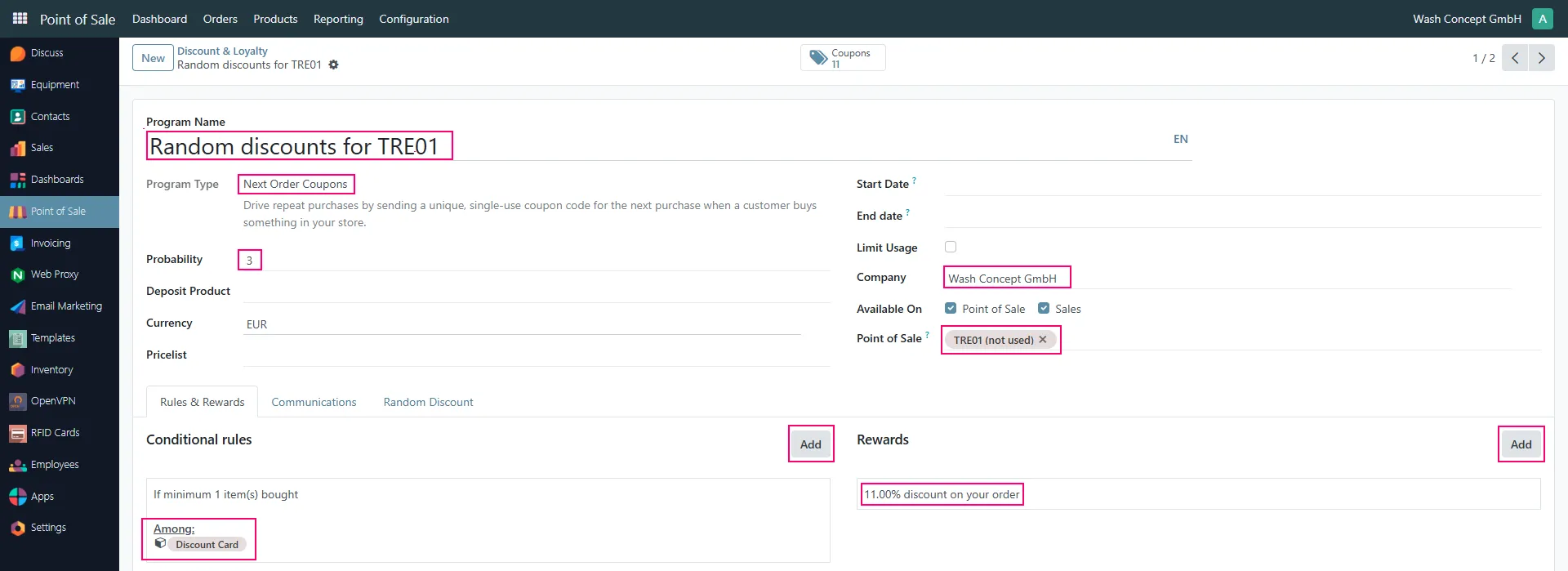
Probability
Section titled “Probability”The field:
- Probability
defines how often discount coupons are generated.
Example:
- Value 3 means approximately every third receipt will contain a discount QR code.
Company
Section titled “Company”Defines the company that uses this loyalty program.
Point of Sale
Section titled “Point of Sale”Optionally restricts the program to a specific vending unit or POS.
Example:
- TRE01
Start Date and End Date
Section titled “Start Date and End Date”Optionally define the active period of the loyalty program.
If empty, the program remains active without time restrictions.
Conditional Rules
Section titled “Conditional Rules”The section:
- Conditional rules
defines when the discount coupon may be issued.
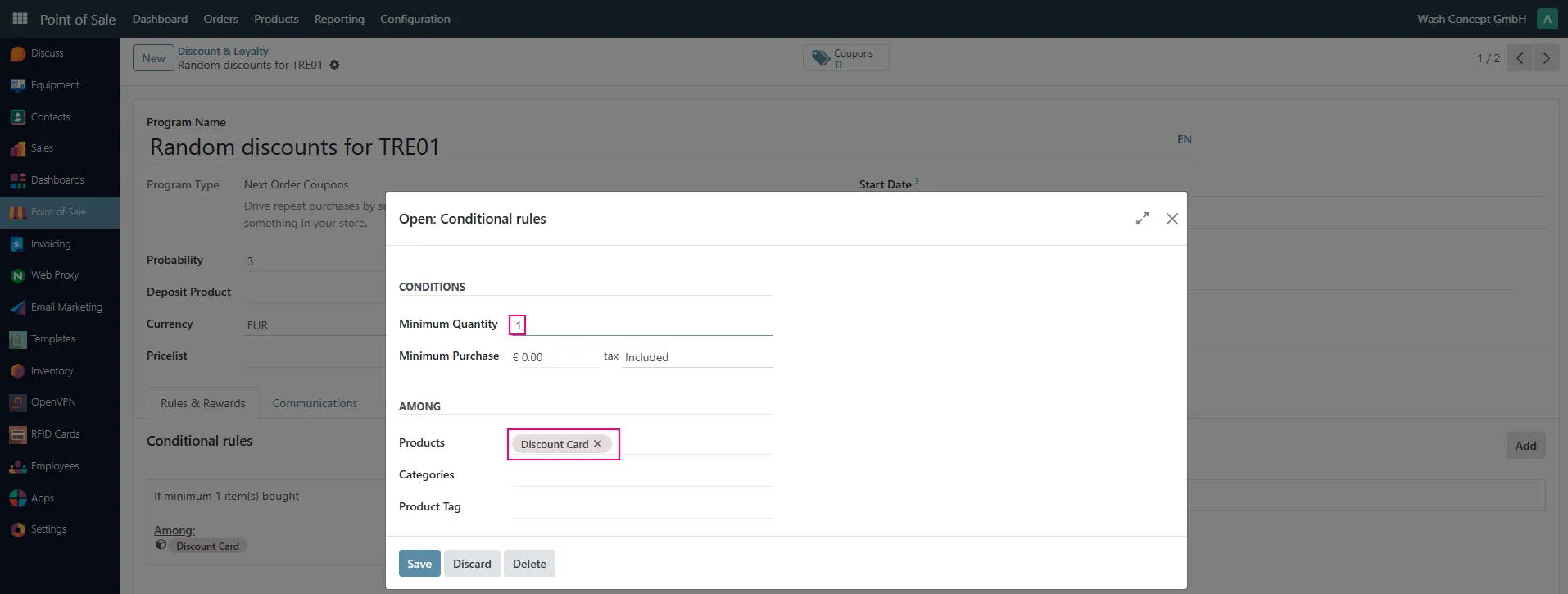
Minimum Quantity
Section titled “Minimum Quantity”Defines the minimum quantity of products required for the coupon to be generated.
Example:
- 1
Products
Section titled “Products”Defines which products participate in the program.
Recomended:
- Discount Card
Rewards Configuration
Section titled “Rewards Configuration”The section:
- Rewards
defines the actual discount value.
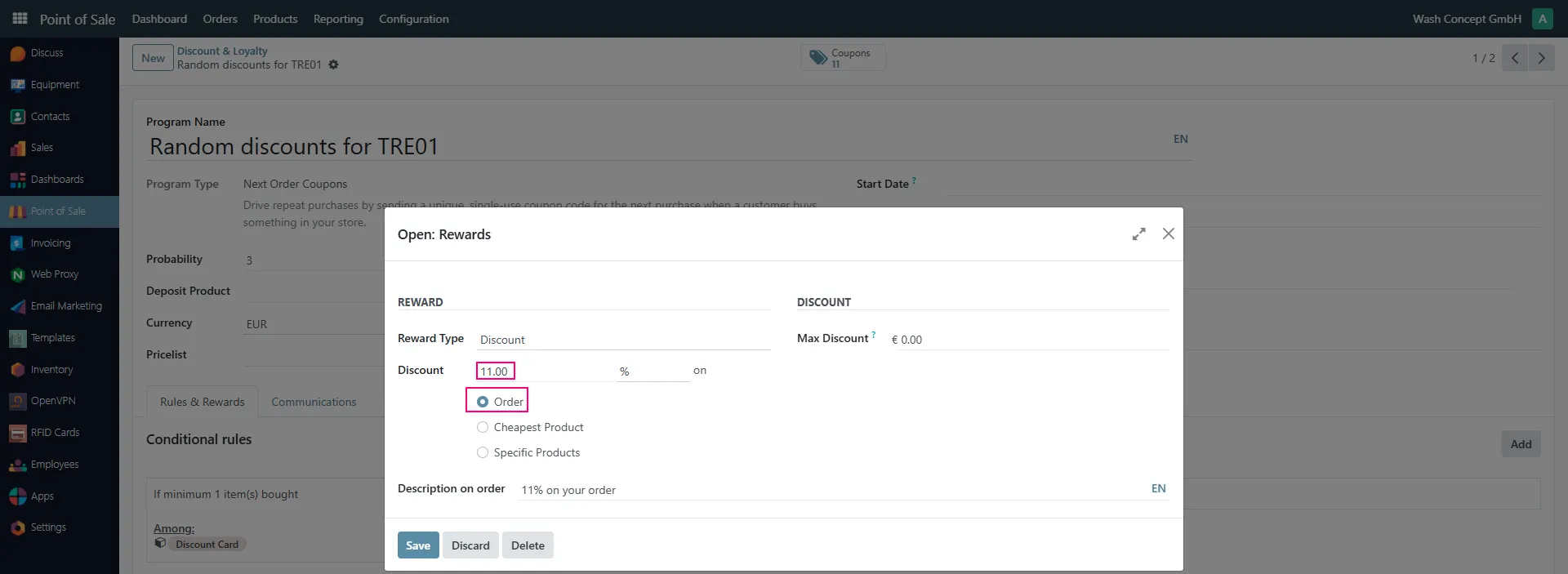
Discount Value
Section titled “Discount Value”Defines the discount percentage.
Example:
- 11%
Apply Discount On
Section titled “Apply Discount On”Defines how the discount is applied.
Possible options:
- Order
- Cheapest Product
- Specific Products
In the example configuration the discount is applied to the entire order.
Coupon Management
Section titled “Coupon Management”The generated coupons can be viewed using the:
- Coupons
button.
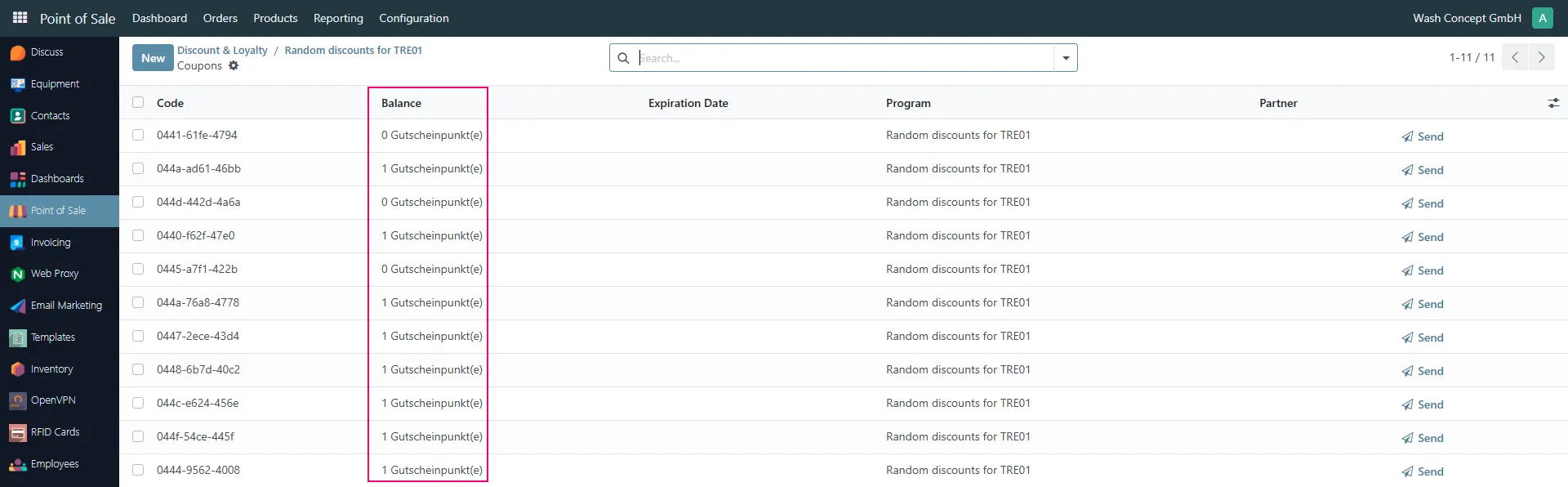
The coupon list contains:
- Coupon code
- Balance
- Expiration date
- Program
- Customer information
Coupon Balance
Section titled “Coupon Balance”The Balance field shows whether the coupon was already used.
Typical values:
- 1 Coupon(s) → coupon is still available
- 0 Coupon(s) → coupon was already used
Important Notes
Section titled “Important Notes”- Customers can scan the QR code directly on the vending unit during payment.
- The payment amount is automatically reduced according to the configured discount.
- Multiple Random Discount programs can exist simultaneously.
- Different programs may use different discount percentages and probability settings.