Mailing Lists
Mailing Lists are used to group recipients who will receive email notifications about system events.
Each mailing list can be linked to specific events and used as a target for automated notifications.
How to Create a Mailing List
Section titled “How to Create a Mailing List”To create and configure a mailing list, follow these steps:
1. Open Mailing Lists
Section titled “1. Open Mailing Lists”Navigate to:
Equipment → Settings → Mailing Lists
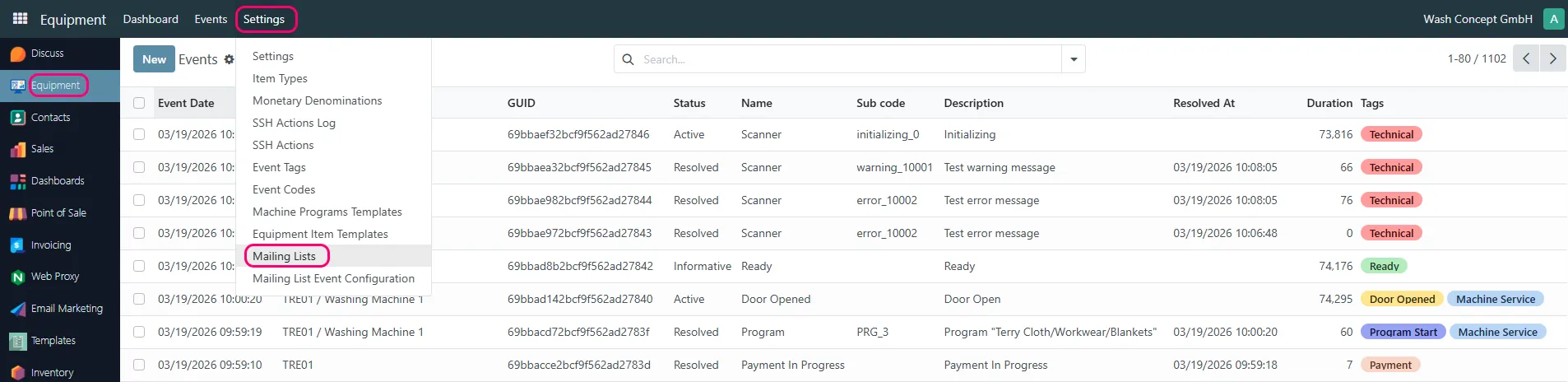
2. Create a New Mailing List
Section titled “2. Create a New Mailing List”Click the New button to create a new mailing list.

Enter the required information:
- Name – the name of the mailing list
Save the mailing list.
3. Add Recipients
Section titled “3. Add Recipients”After creating the mailing list, open it and go to:
Recipients
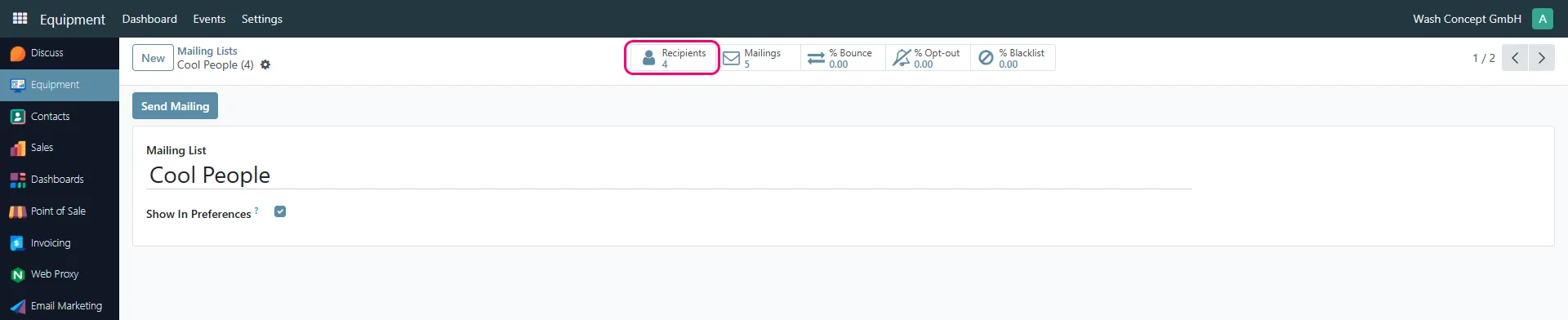
You can:
- Add new recipients manually using the New button
- Import recipients using the Import Contacts option

Each recipient includes:
- Name
- Email address
- Optional additional information (company, country, etc.)
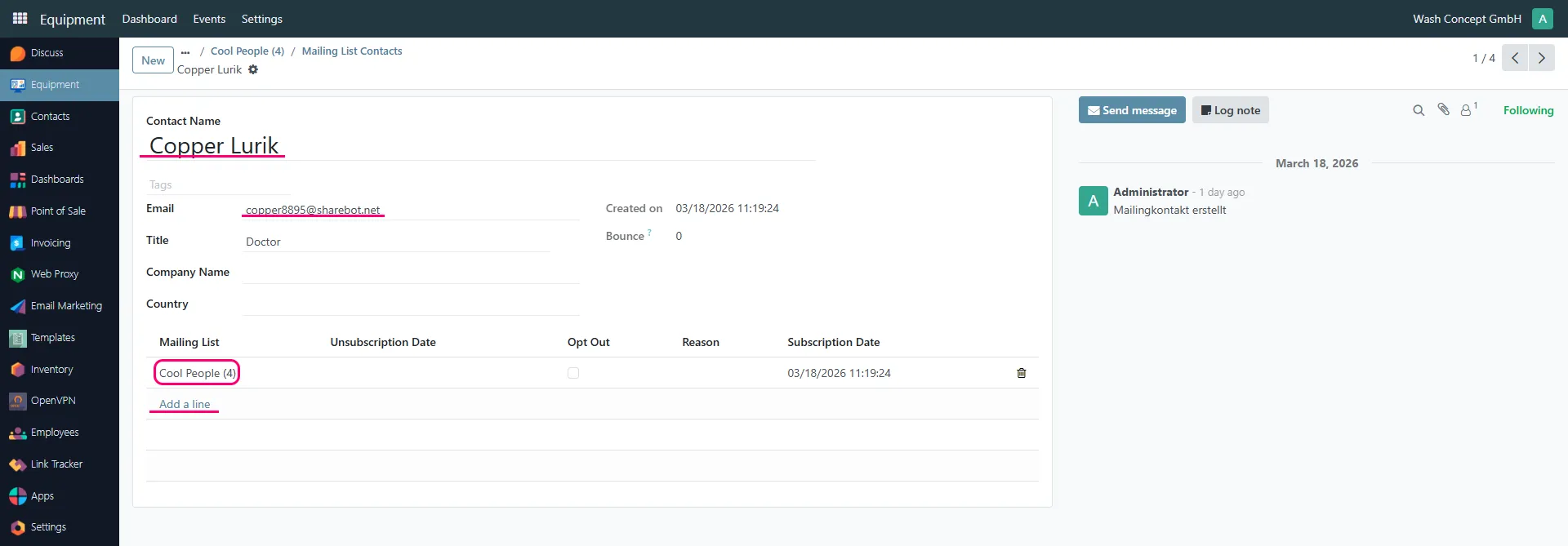
A recipient can belong to one or multiple mailing lists.
4. Manage Recipients
Section titled “4. Manage Recipients”Within a mailing list, you can:
- View all recipients
- Edit recipient details
- Remove recipients from the list
- Monitor subscription status