Card Dispenser Configuration
The Card Dispenser is a type of equipment used in the system to manage card issuing devices. It allows you to register physical devices, monitor their status, and track events generated during operation.
How to Create a Card Dispenser
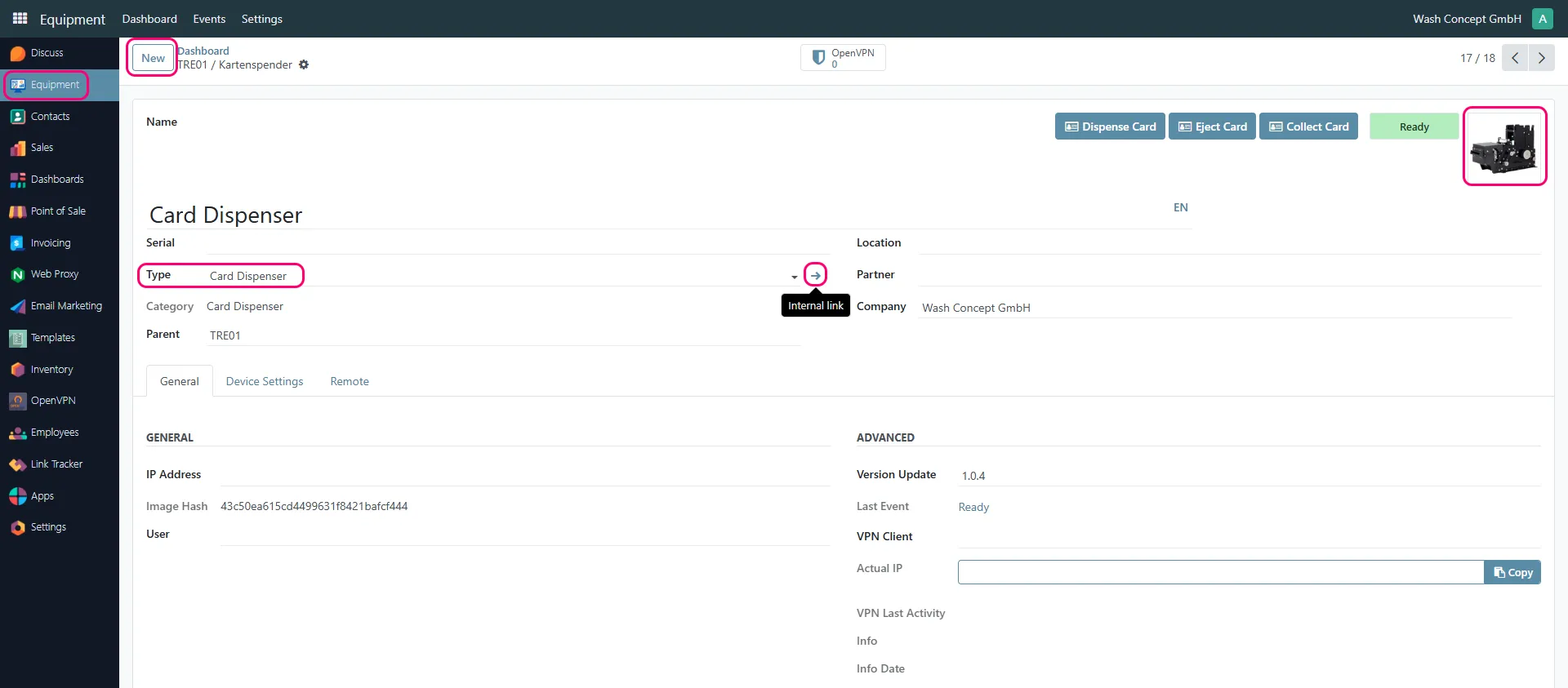
Section titled “How to Create a Card Dispenser”- Go to:
- Equipment
- Click New
- In the field Type, select Card Dispenser
- Enter:
- Name of the device
- other fields (if applicable)
- Optionally:
- upload or select an image of the device
- Click Save
Default Limitation
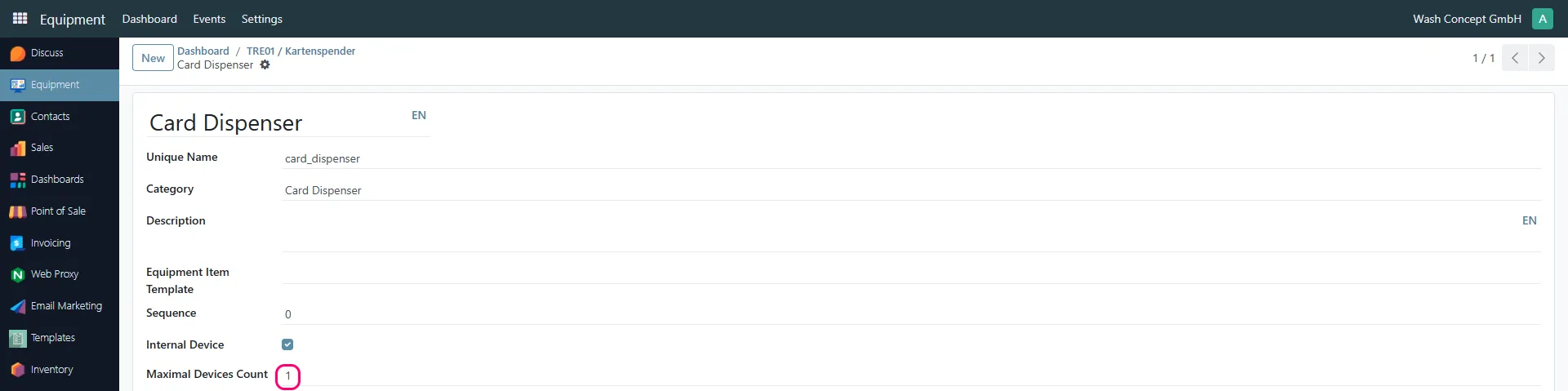
Section titled “Default Limitation”By default, the system allows creating only one device of the Card Dispenser type.
To change this limit:
- Open the Card Dispenser equipment type configuration
- Find the field:
- Maximal Devices Count
- Set the required number of devices
- Save changes
Device Actions
Section titled “Device Actions”From the equipment form, you can use action buttons:
- Dispense Card
- Eject Card
- Collect Card
These actions allow direct interaction with the device.
Event Monitoring
Section titled “Event Monitoring”You can monitor device activity via events:
- Click on the event indicator/button near the device image
(it shows the latest status, e.g., Ready) - You will be redirected to the Events page
Events Page
Section titled “Events Page”The events list includes:
- Event Date
- Equipment Item
- GUID
- Status (Informative / Resolved)
- Name (e.g., Ready, Error)
- Sub code
- Description
- Resolved At
- Duration
- Tags (e.g., Technical)
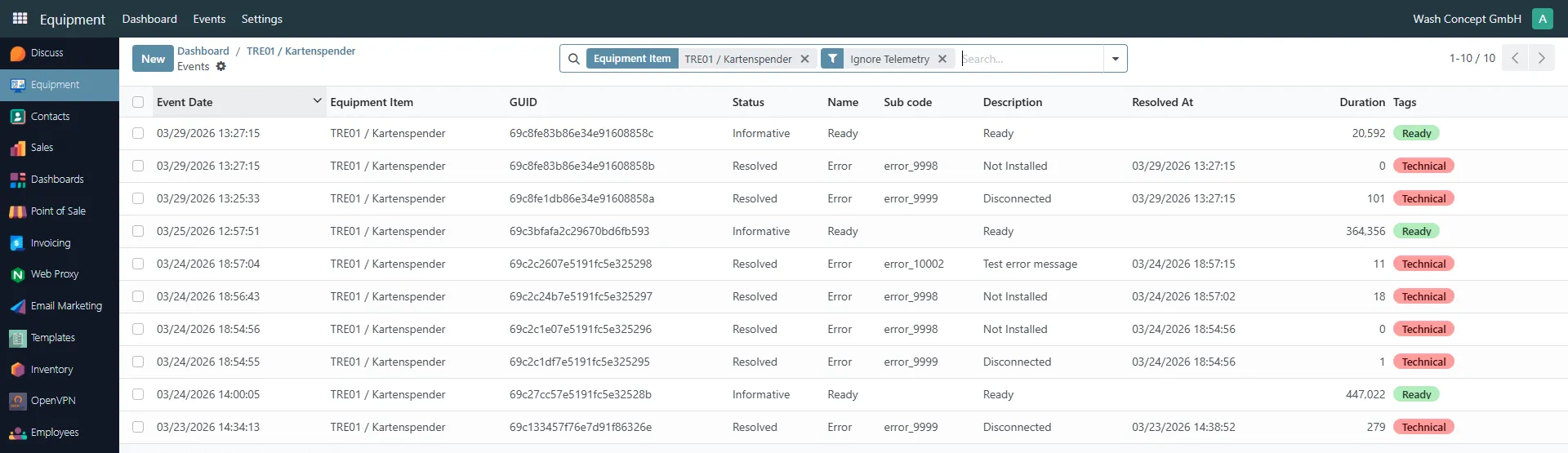
This allows full monitoring of device behavior and troubleshooting.