Help Desk
The Help Desk module is designed to organize technical support requests, distribute tickets between employees, track processing stages, and communicate with customers through the portal, e-mail, phone, or other communication channels.
A ticket can be created automatically from the customer portal or manually by an operator or support employee.
Main Dashboard
Section titled “Main Dashboard”The Help Desk dashboard displays general statistics for the support team:
- number of open tickets;
- unattended tickets;
- high-priority requests;
- quick access to tasks.

Ticket Kanban View
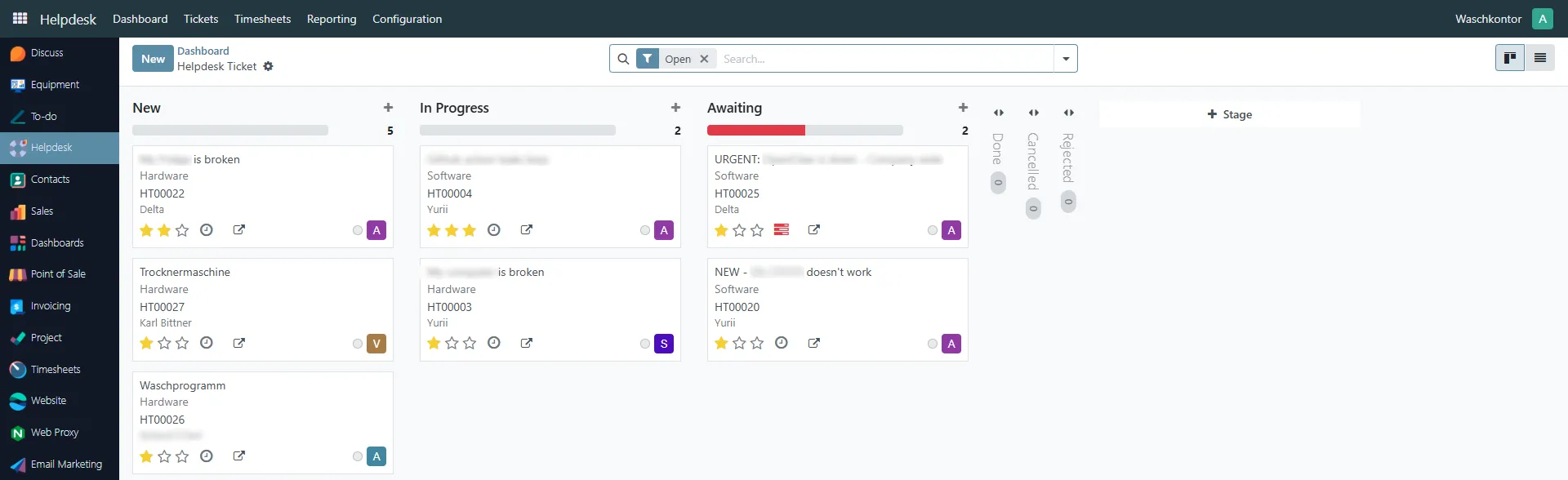
Section titled “Ticket Kanban View”All tickets can be displayed in a Kanban board grouped by stages.
Typical stages:
- New
- In Progress
- Awaiting
- Done
- Cancelled
- Rejected
The responsible employee can move the ticket between stages during processing.
Ticket assignment
Section titled “Ticket assignment”Tickets may be created from:
- customer portal requests;
- phone calls;
- e-mails;
- manual operator registration;
- other communication channels.
The system automatically assigns tickets to support employees.
Assignment is performed sequentially with random distribution logic so the previously assigned employee is excluded from the next automatic selection.
If a ticket is not processed within a configured time, it can automatically move to the Awaiting stage.
Ticket Card
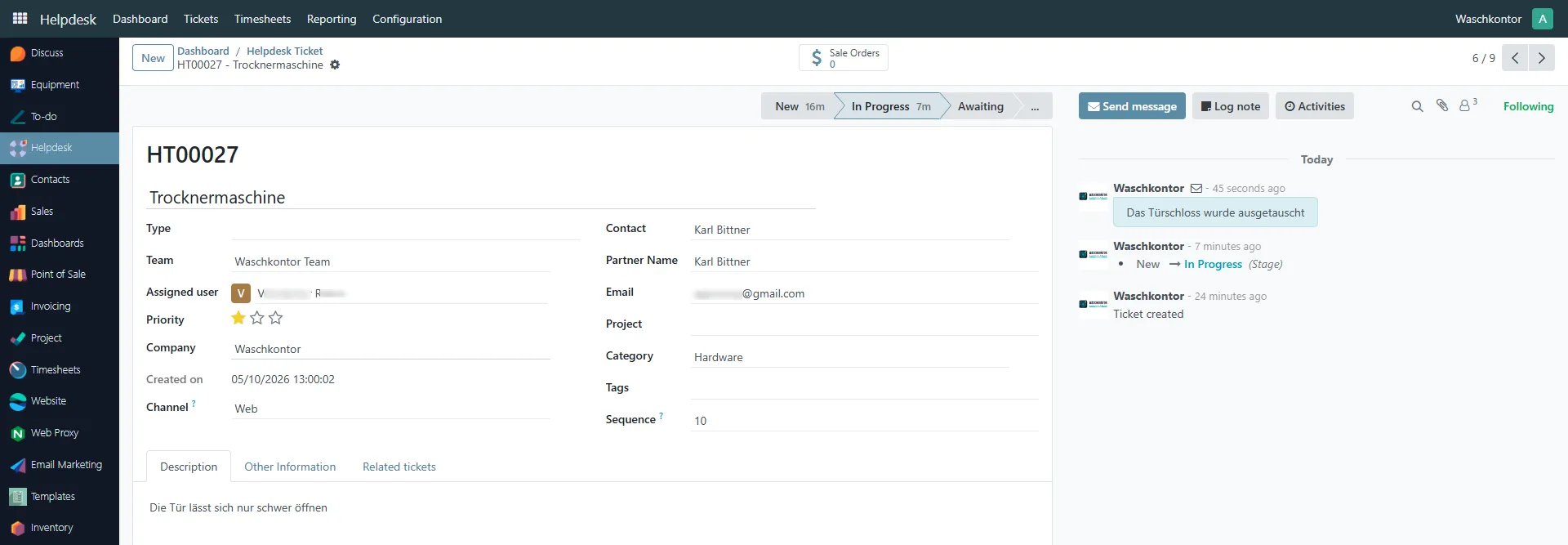
Section titled “Ticket Card”Each ticket contains all information related to the support request:
- ticket number;
- customer information;
- assigned employee;
- category;
- priority;
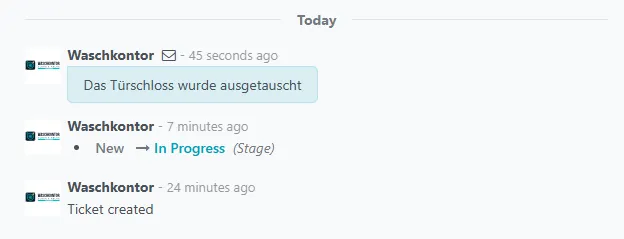
- communication history;
- attached files;
- processing stages.
Ticket Processing
Section titled “Ticket Processing”During processing, the responsible employee changes ticket stages according to the current status of work.
Typical workflow:
- Ticket is created.
- Employee moves ticket to In Progress.
- Additional communication with the customer may occur.
- Ticket is completed or cancelled/rejected.
Moving ticket to another stage
Section titled “Moving ticket to another stage”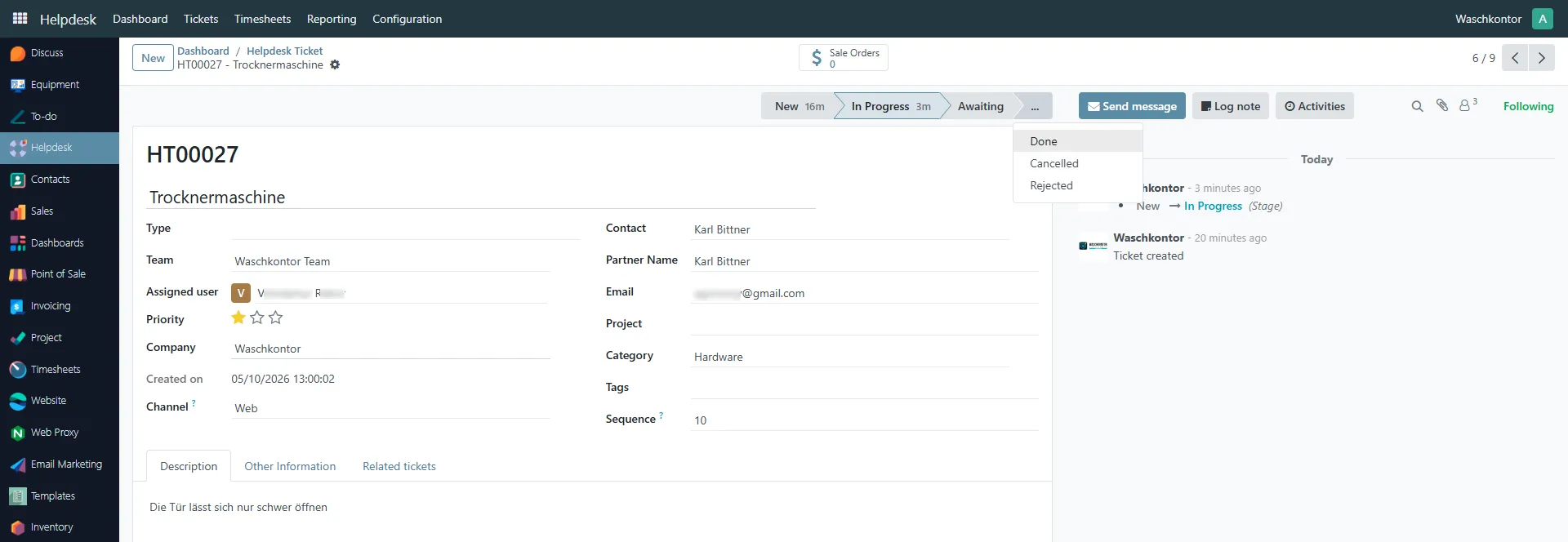
Internal Communication and Customer Replies
Section titled “Internal Communication and Customer Replies”Support employees can communicate directly with the customer from the ticket form.
Messages are automatically linked to the ticket history and are also available in the customer portal.
All communication events are stored in the activity log.
Automatic E-Mail Notifications
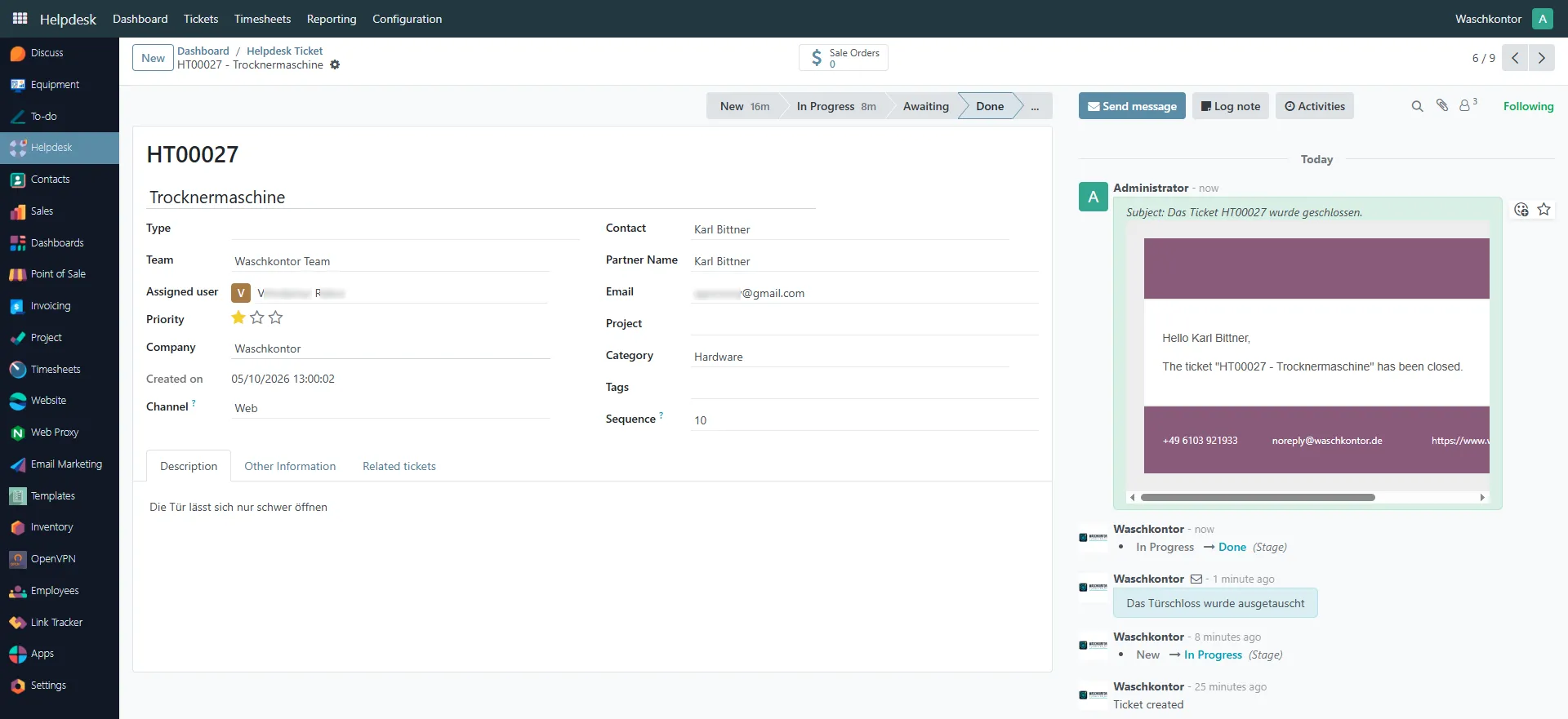
Section titled “Automatic E-Mail Notifications”Registered portal users automatically receive e-mail notifications when ticket stages change.
Typical notifications:
- ticket created;
- ticket assigned;
- ticket completed;
- ticket cancelled or rejected;
- employee response.
Help Desk Configuration
Section titled “Help Desk Configuration”The module can be flexibly configured using settings and reference directories.
General Settings
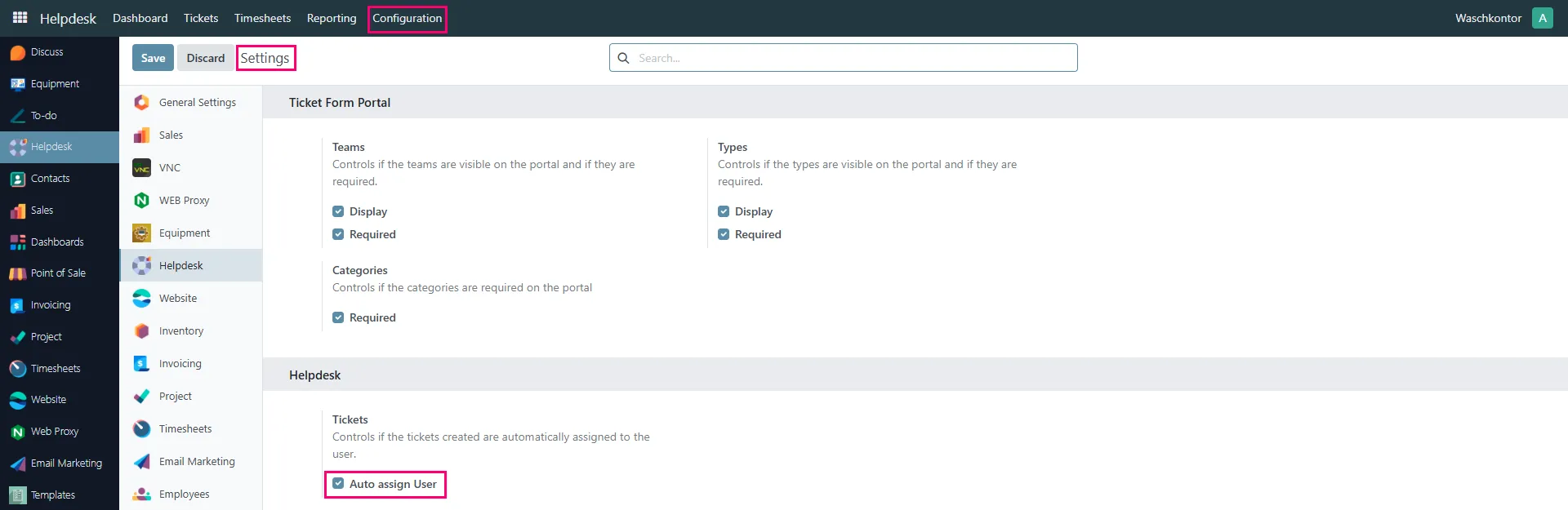
Section titled “General Settings”General Help Desk settings allow configuration of:
- portal behavior;
- required fields;
- automatic user assignment;
- ticket visibility;
- categories and types.
Automatic Assignment
Section titled “Automatic Assignment”The Auto assign User option enables automatic distribution of tickets between employees.
Channels
Section titled “Channels”Communication channels define how tickets are created.
Examples:
- Web
- Phone
- Other

Categories
Section titled “Categories”Categories help classify tickets by request type.
Examples:
- Hardware
- Software
- WiFi
- Odoo

Stages
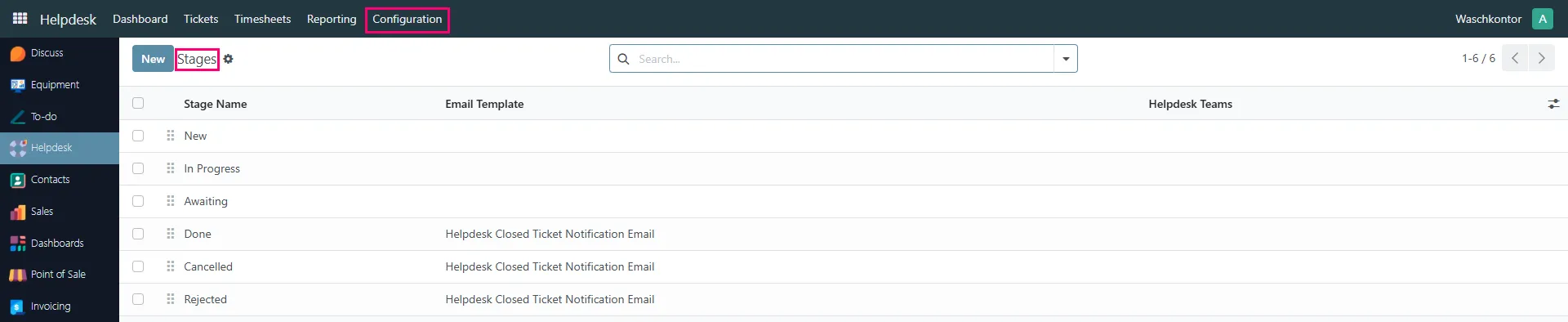
Section titled “Stages”Stages define the ticket workflow.
Each stage may have:
- automatic e-mail templates;
- assigned teams;
- automation rules.