Mailing List Event Configuration
Mailing List Event Configuration defines which system events will trigger email notifications for a specific mailing list.
Each configuration allows you to:
- Select one or multiple mailing lists
- Define which events should be included
- Apply filters (by company, equipment type, or specific equipment)
- Control the time range of processed events
How to Create an Event Configuration
Section titled “How to Create an Event Configuration”1. Open Configuration Page
Section titled “1. Open Configuration Page”Navigate to:
Equipment → Settings → Mailing List Event Configuration
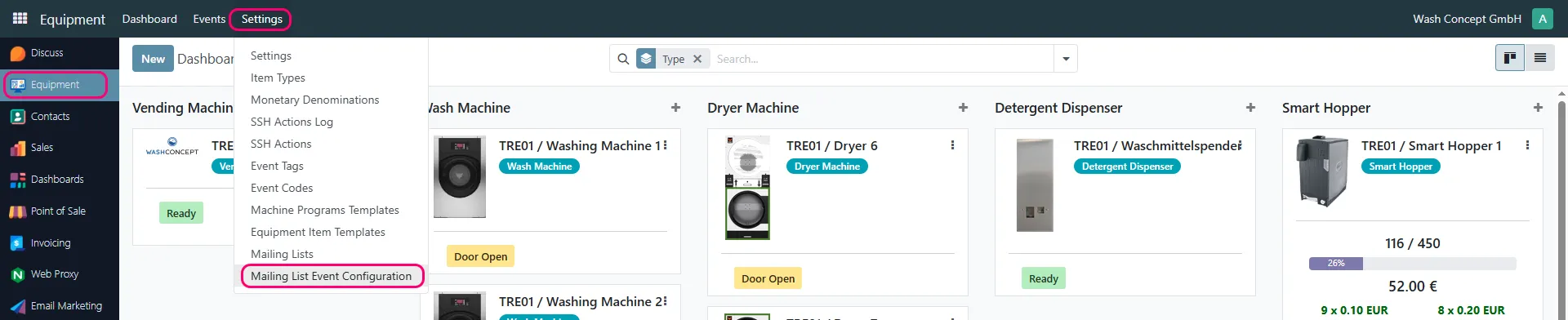
2. Create a New Configuration
Section titled “2. Create a New Configuration”Click New and define the configuration parameters.

Configuration Fields
Section titled “Configuration Fields”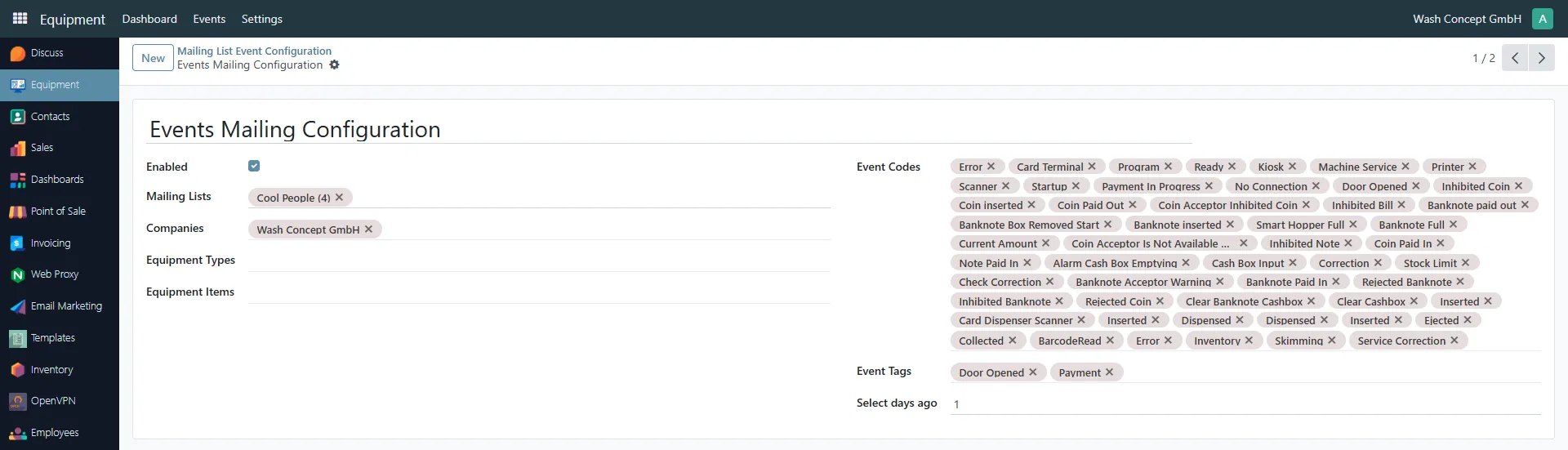
Enabled
Section titled “Enabled”Enables or disables the configuration.
- When enabled → emails will be generated and sent
- When disabled → configuration is ignored
Mailing Lists
Section titled “Mailing Lists”Select one or more mailing lists that will receive notifications.
Companies
Section titled “Companies”Filter events by company.
Only events related to the selected companies will be included.
Equipment Types
Section titled “Equipment Types”Optional filter by equipment type (e.g. washing machines, dryers, etc.).
If specified:
- Only events from selected equipment types will be included
Equipment Items
Section titled “Equipment Items”Optional filter by specific equipment devices.
If specified:
- Only events from selected devices will be included
⚠️ Important:
Equipment Types and Equipment Items filters work independently.
You can use either of them or both.
Event Codes
Section titled “Event Codes”Defines which event types will trigger notifications.
Examples:
- Errors
- Payments
- Door events
- Service events
- Device-specific events
Multiple event codes can be selected.
Event Tags
Section titled “Event Tags”Additional filtering using event tags.
Examples:
- Door Opened
- Payment
Select days ago
Section titled “Select days ago”Defines how far back in time events are considered.
Example:
1→ events from the last 24 hours
How It Works
Section titled “How It Works”- System generates events during operation
- Events are filtered based on:
- Event Codes
- Event Tags
- Company
- Equipment Type / Equipment Item
- Matching events are grouped into emails
- Emails are sent to recipients of the selected mailing lists
- At least one mailing list must be selected
- If no filters are applied, all events matching selected codes/tags will be used
- Multiple configurations can exist simultaneously
- Configurations can be enabled or disabled at any time