Happy Hours
The Happy Hours feature allows you to define time-based discounts by applying special price lists during selected time periods.
This functionality is typically used to increase machine utilization during off-peak hours by offering reduced prices.
Happy Hours configuration consists of three main elements:
- Schedule (time slots) – defines when the discount is active
- Price Lists – defines discounted pricing
- Target Equipment – defines where the pricing applies
The configured pricing is applied to:
- Selected Vending Units
- All connected equipment (washing machines, dryers, etc.)
Navigation
Section titled “Navigation”To access Happy Hours:
Equipment → Settings → Happy Hours

Creating a Happy Hours Rule
Section titled “Creating a Happy Hours Rule”
- Click New
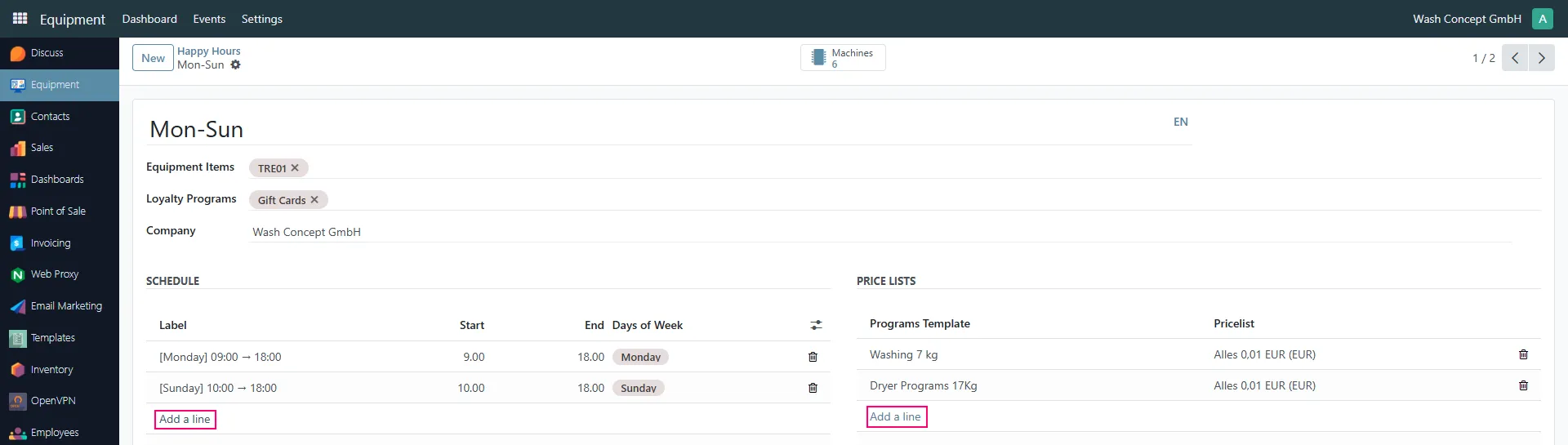
- Enter a Name (e.g., Mon–Sun, Weekend Discount)
- Select:
- Equipment Items (e.g., TRE01 vending unit)
- Optional Loyalty Programs (e.g., this will only apply when paying with gift card)
Schedule Configuration
Section titled “Schedule Configuration”In the Schedule section you define when the Happy Hours are active.
Add Time Slot
Section titled “Add Time Slot”Click Add a line to create a new time slot.
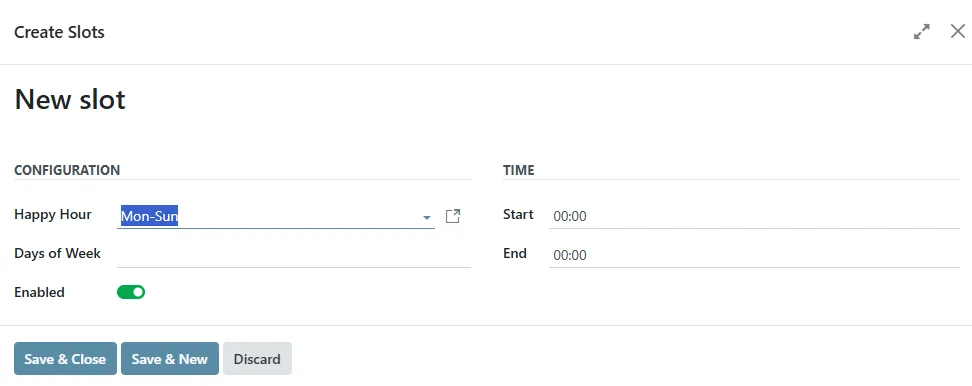
Each slot contains:
- Label – descriptive name (auto-generated or custom)
- Start time
- End time
- Days of Week
Example:
- Monday: 09:00 – 18:00
- Sunday: 10:00 – 18:00
Slot Creation Dialog
Section titled “Slot Creation Dialog”When creating or editing a slot:
- Select the Happy Hour rule
- Choose Days of Week
- Define:
- Start time
- End time
- Enable or disable the slot using the toggle
Click:
- Save & Close – to finish
- Save & New – to add another slot
Price List Assignment
Section titled “Price List Assignment”In the Price Lists section:
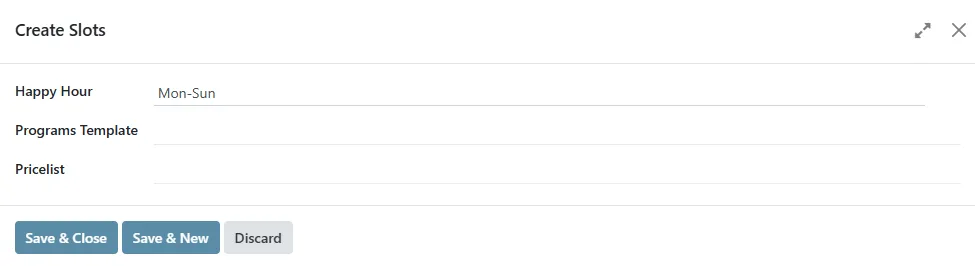
- Click Add a line
- Select:
- Programs Template (e.g., Washing 7 kg, Dryer 17 kg)
- Pricelist (discounted price configuration)
The selected price list will override the default pricing only during the defined Happy Hours time slots.
How It Works
Section titled “How It Works”- During configured time periods:
- The system automatically applies Happy Hours pricing
- Outside those periods:
- Default pricing is restored
This logic is fully automatic and does not require user interaction.
Key Notes
Section titled “Key Notes”- Multiple time slots can be defined within one Happy Hours rule
- Different programs (wash/dry) can have different discount pricing
- Happy Hours can be applied to:
- Single vending unit
- Multiple devices
- Pricing is managed centrally via backend
Typical Use Cases
Section titled “Typical Use Cases”- Off-peak discounts (morning / late evening)
- Weekend promotions
- Loyalty campaigns
- Dynamic pricing strategies for load balancing