Service Cards
Service Cards are RFID cards used by maintenance personnel to switch a Vending Unit into Service Mode.
The RFID card is scanned using the machine RFID reader (Scanner). After successful identification the Vending Unit switches to the service interface.
If the same Service Card is scanned again, the service mode is closed and the machine returns to normal customer operation.
Service Cards are typically used by:
- service engineers
- maintenance personnel
- administrators
- support technicians
The system allows:
- creation of dedicated RFID service cards
- assigning cards to employees
- assigning company-wide service cards
- restricting service cards to specific Vending Units
- tracking service mode access in equipment events
Creating RFID Card Types
Section titled “Creating RFID Card Types”Before Service Cards can be used, a dedicated RFID card type must exist.
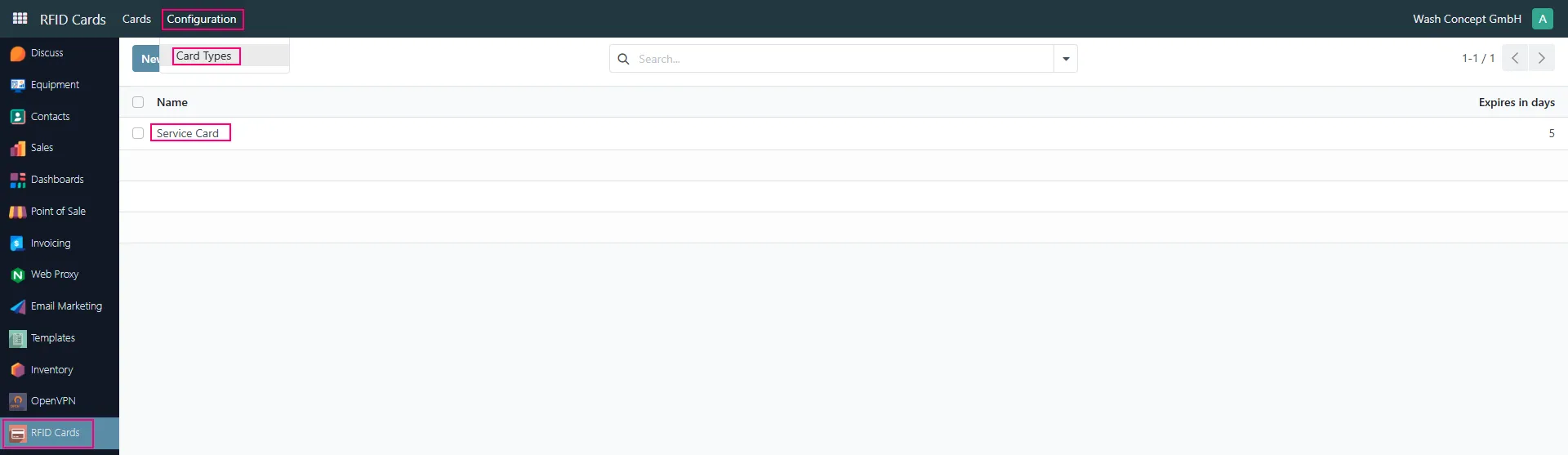
By default the system already contains the type:
- Service Card
To verify or configure card types:
- Open the RFID Cards module
- Navigate to:
- Configuration → Card Types
Creating Service Cards
Section titled “Creating Service Cards”After the card type exists, service cards can be created.
Open:
- RFID Cards → Cards
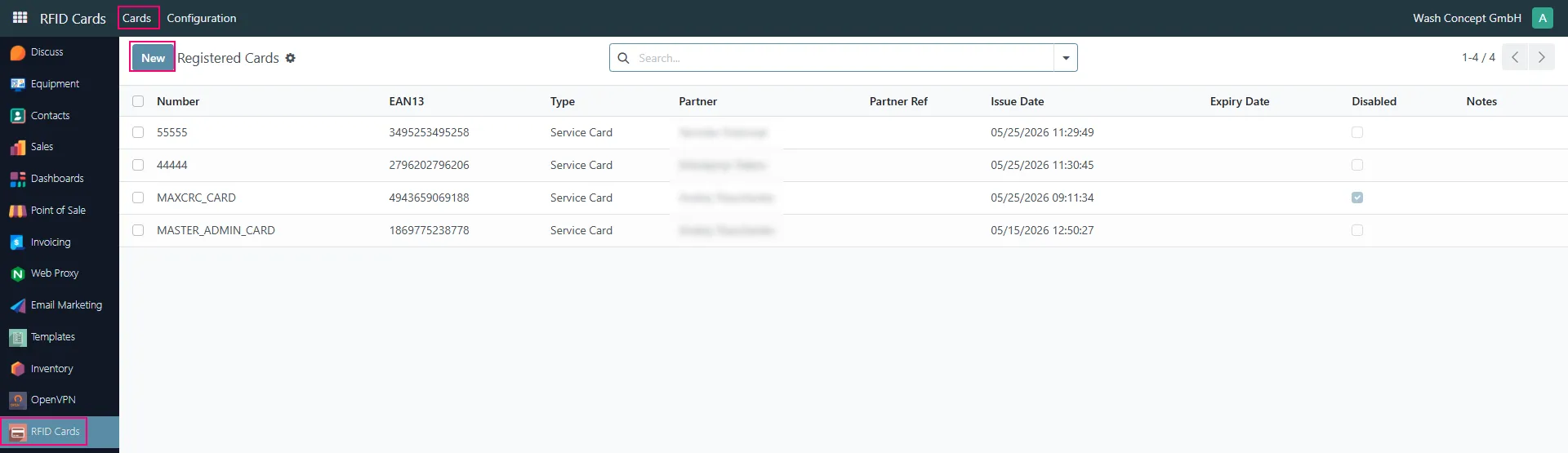
Press:
- New
to create a new RFID Service Card.
Service Card Configuration
Section titled “Service Card Configuration”Example Service Card configuration:
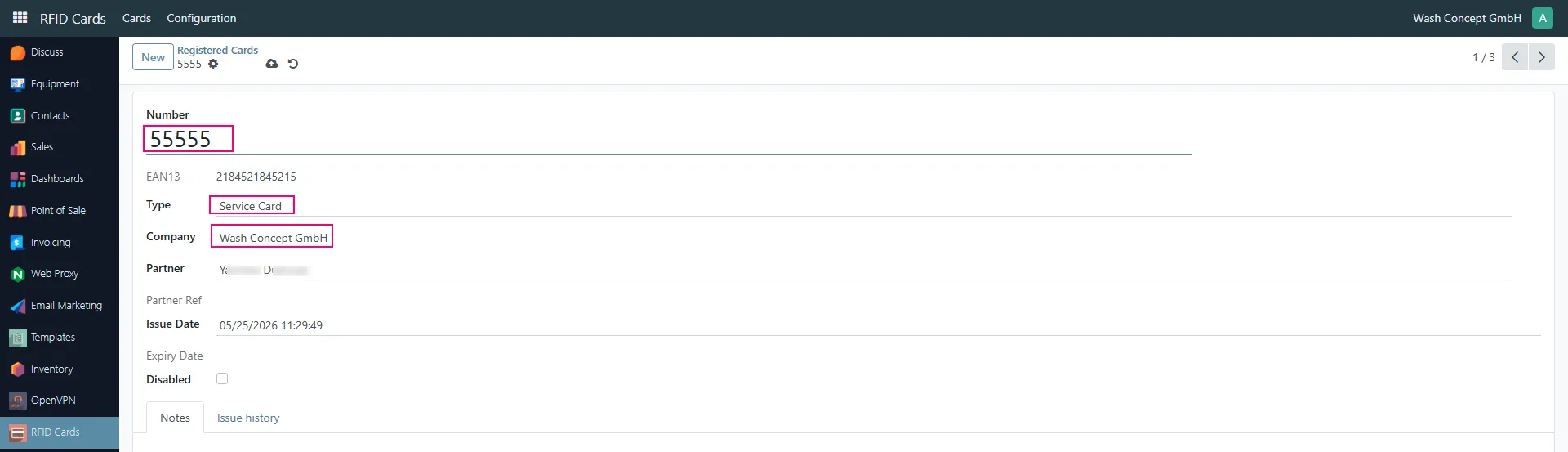
Number
Section titled “Number”Defines the RFID card identifier.
Example:
- 55555
This value is used internally for RFID card recognition.
Contains the EAN13 barcode value assigned to the RFID card.
Defines the RFID card type.
For Service Mode access the type must be:
- Service Card
Company
Section titled “Company”Defines the company owning the RFID card.
Partner
Section titled “Partner”Optionally identifies the employee or technician using the card.
This allows the system to record which employee entered Service Mode.
Disabled
Section titled “Disabled”Disabled cards cannot activate Service Mode.
Assigning Company Service Cards
Section titled “Assigning Company Service Cards”The system supports company-wide Service Cards.
A company Service Card can activate Service Mode on any Vending Unit belonging to the same company.
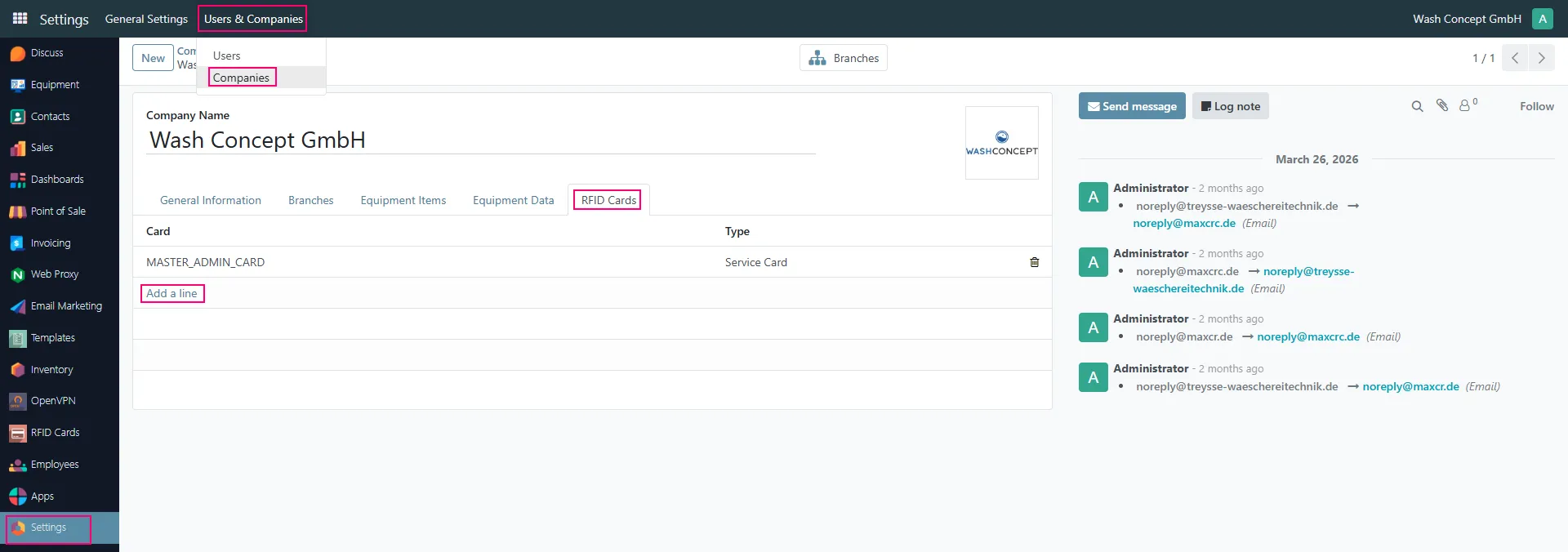
To configure company Service Cards:
- Open:
- Settings → Users & Companies → Companies
- Open the required company
- Navigate to:
- RFID Cards
Company RFID Card Behavior
Section titled “Company RFID Card Behavior”Cards configured here automatically become valid for all Vending Units assigned to the company.
Example:
- MASTER_ADMIN_CARD
This allows administrators or head office personnel to access all company equipment without configuring every machine individually.
Assigning Service Cards to Vending Units
Section titled “Assigning Service Cards to Vending Units”Service Cards may also be assigned directly to specific Vending Units.
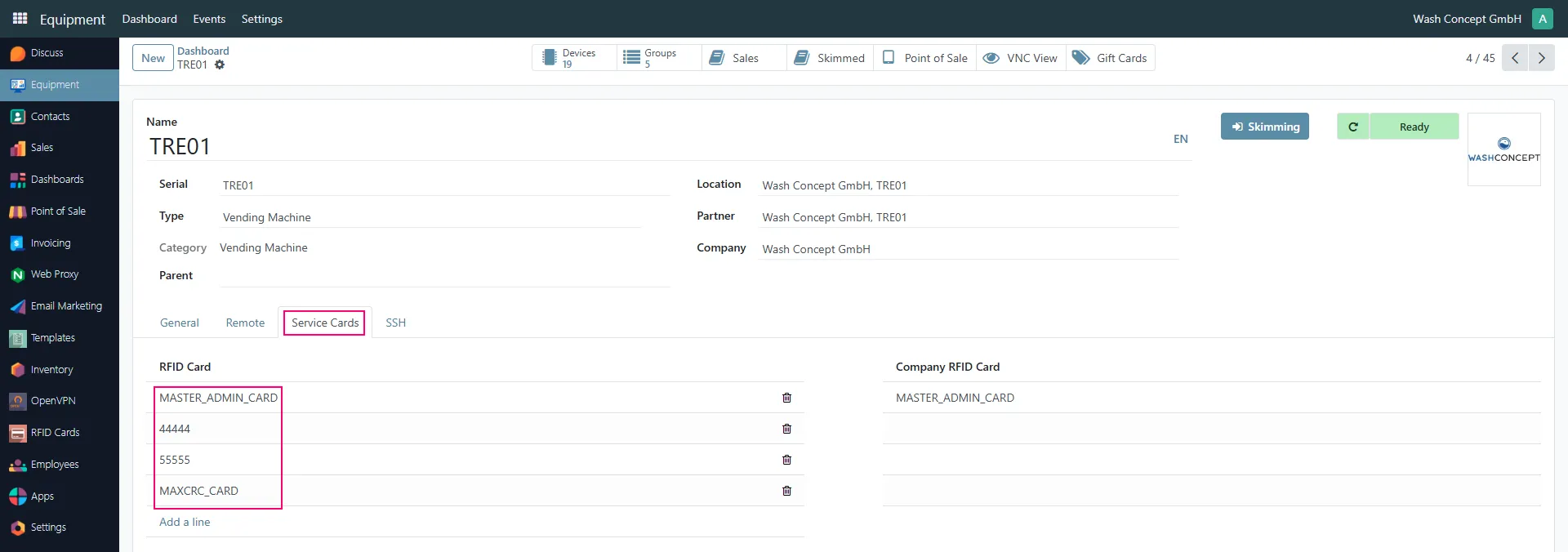
Open the required equipment item and navigate to:
- Service Cards
Local Machine Service Cards
Section titled “Local Machine Service Cards”The left section contains machine-specific Service Cards.
Example:
- MASTER_ADMIN_CARD
- 44444
- 55555
- MAXCRC_CARD
Only these cards may activate Service Mode on this Vending Unit.
Company RFID Cards
Section titled “Company RFID Cards”The right section displays company-wide Service Cards inherited from company settings.
These cards are available automatically for all company machines.
Scanner Service and RFID Reader
Section titled “Scanner Service and RFID Reader”The Vending Unit uses the Scanner Service to read RFID cards.
The Scanner Service communicates with the RFID reader hardware and sends detected card information to the Vending Unit software.
Service Events
Section titled “Service Events”After scanning a Service Card the system records an equipment event.
Open:
- Equipment → Events

Barcode Read Event
Section titled “Barcode Read Event”Example event:
- Name: Barcode Read
- Description: MASTER_ADMIN_CARD
The event contains the Service Card number used for entering Service Mode.
This allows administrators to audit:
- who entered Service Mode
- when Service Mode was activated
- which RFID card was used
Vending Unit Service Screen
Section titled “Vending Unit Service Screen”After successful Service Card authorization the Vending Unit enters Service Mode and displays the service interface.
Example Service Mode screen:
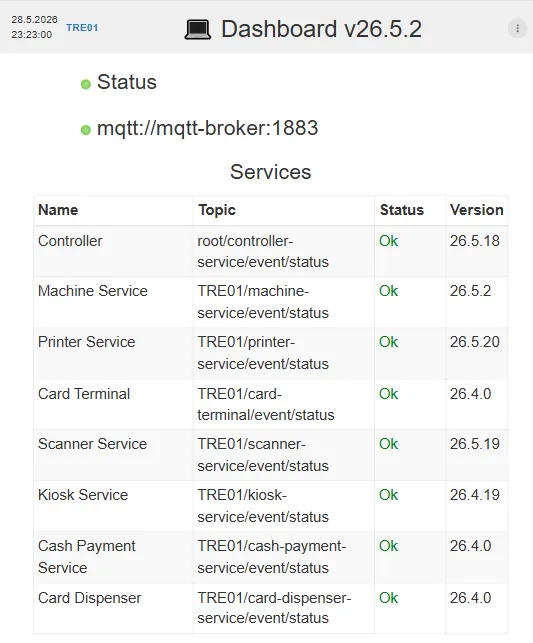
The screen displays:
- service status
- MQTT broker connection
- active services
- service versions
- hardware status
Detailed Service Mode functionality is described in the next sections of the documentation.
Important Notes
Section titled “Important Notes”- Service Cards use RFID technology.
- Cards are read using the Scanner Service.
- The same card scan toggles Service Mode ON and OFF.
- Service Cards may be machine-specific or company-wide.
- Disabled cards cannot activate Service Mode.
- Equipment events store the scanned Service Card number for audit purposes.