Gift Card Program
The Gift Card program allows customers to purchase prepaid cards, top up their balance, and use them to pay for laundry services directly at the Vending Unit.
Gift cards are managed through the Point of Sale module and can be integrated with the Vending Unit using the Card Dispenser and Scanner devices.
Prerequisites
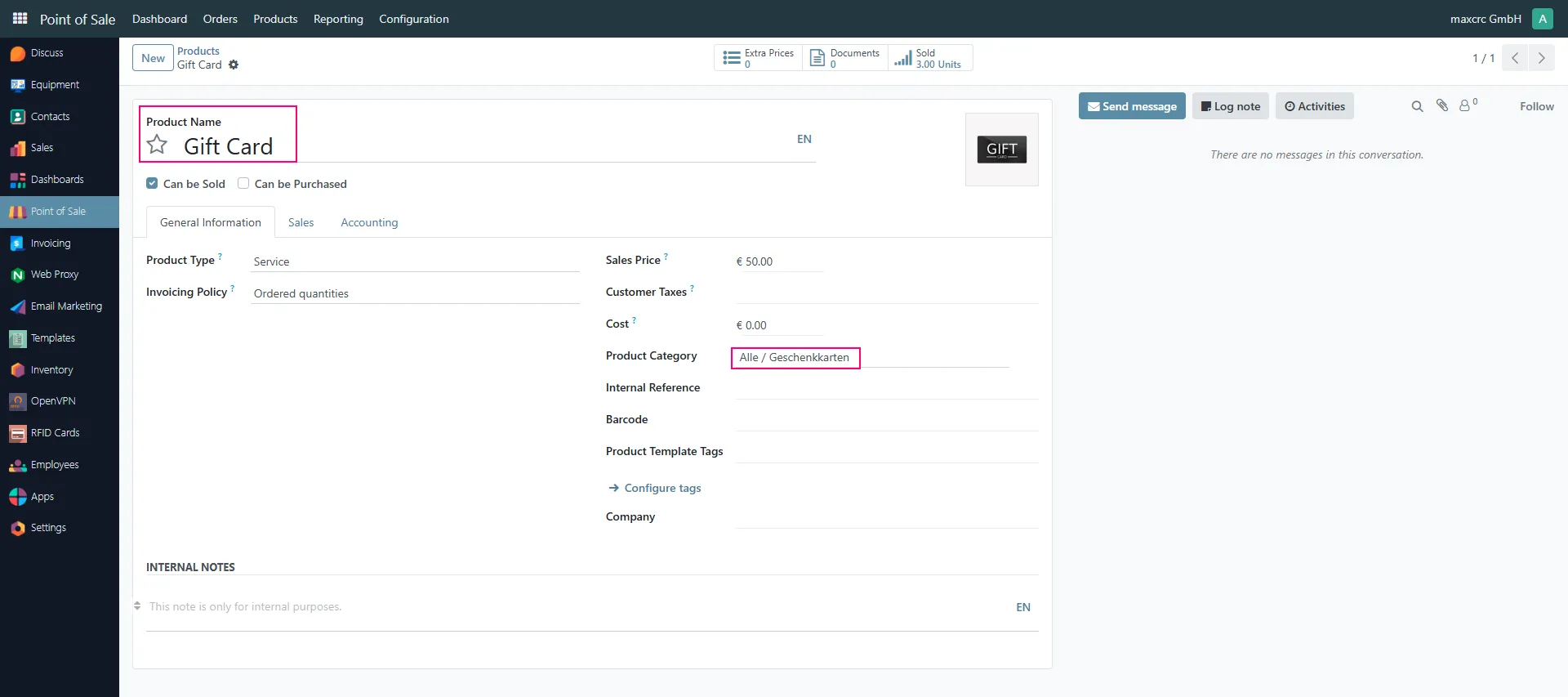
Section titled “Prerequisites”Before creating a Gift Card program, a product of type Gift Card must already exist in the system.
Open:
Point of Sale → Products → Products
and сheck availability (or create) a product that will be used by the Gift Card program.
Creating a Gift Card Program
Section titled “Creating a Gift Card Program”To create a new Gift Card program, navigate to:
Point of Sale → Products → Gift cards & eWallet

Create a new program and configure the following fields:
- Program Name
- Company
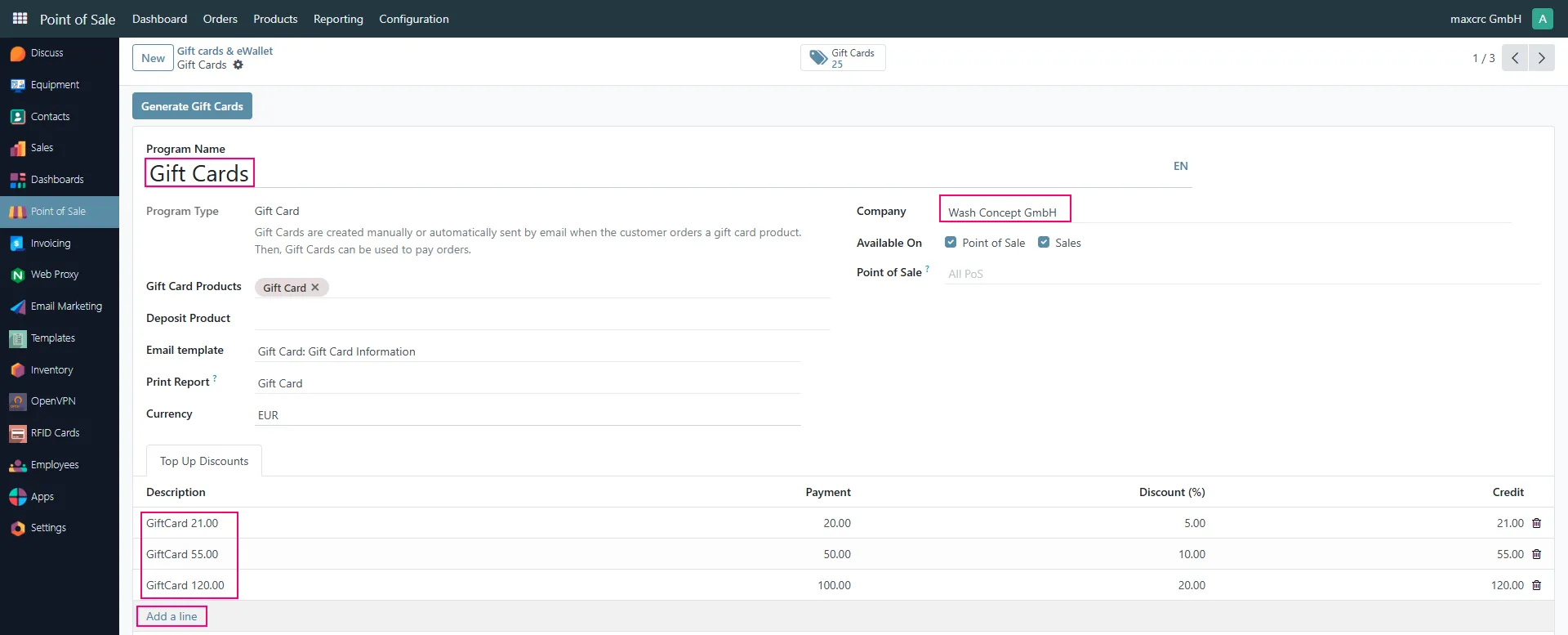
Each company may have one or multiple Gift Card programs.
Top-Up Discount Rules
Section titled “Top-Up Discount Rules”The Gift Card program supports bonus credit when customers purchase or top up cards.
The bonus rules are configured in the Top Up Discounts section.
Each line defines:
- Description
- Payment Amount
- Discount Percentage
- Credit Amount
Examples:
| Payment | Discount | Card Credit |
|---|---|---|
| €20 | 5% | €21 |
| €50 | 10% | €55 |
| €100 | 20% | €120 |
In this example, a customer paying €100 receives €120 credit on the gift card.
Generating Gift Cards
Section titled “Generating Gift Cards”Gift cards can be generated in bulk.
Click Generate Gift Cards.
A generation wizard will appear.
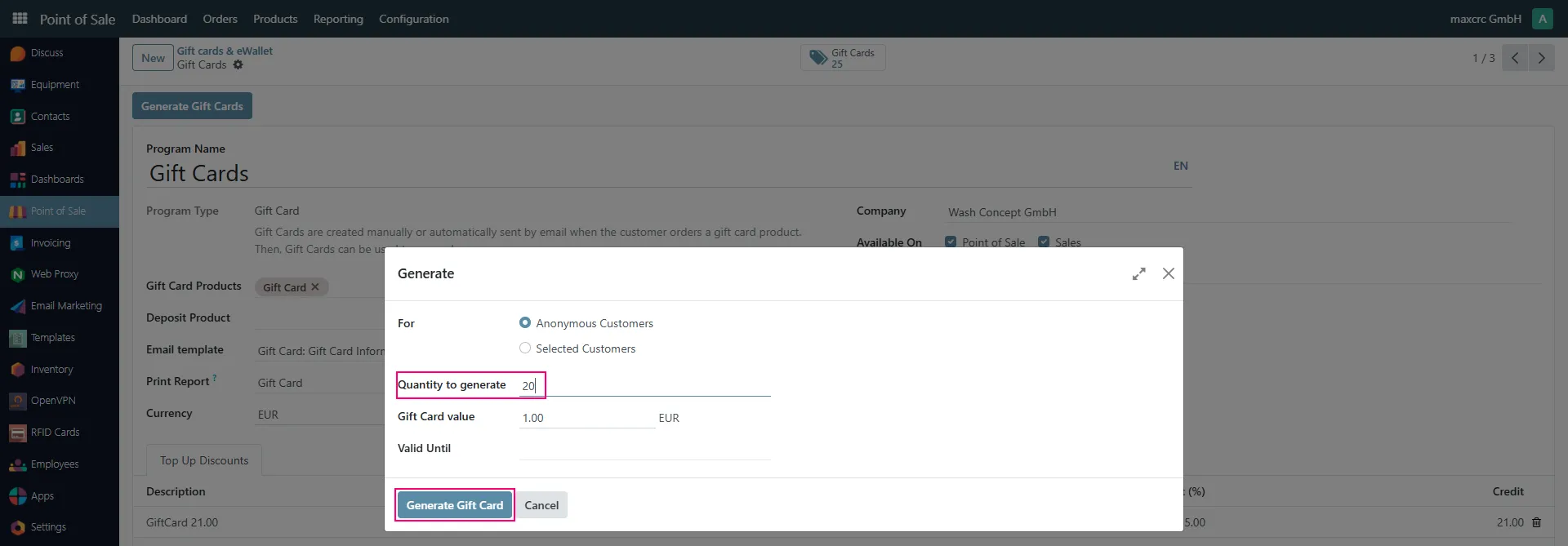
The wizard allows you to define:
- Number of cards to generate
- Initial card balance
- Expiration date (optional)
- Anonymous or customer-specific cards
After generation, the system creates unique card numbers automatically.
Gift Card List
Section titled “Gift Card List”Generated cards are available from the Gift Card program.

The list displays:
- Card Code
- Current Balance
- Expiration Date
- Program
- Assigned Customer
The balance is updated automatically after every transaction.
Required Hardware
Section titled “Required Hardware”Gift Cards require two devices connected to the Vending Unit:
Card Dispenser
Section titled “Card Dispenser”The Card Dispenser stores blank cards and issues new cards when customers purchase them.
Scanner
Section titled “Scanner”The Scanner reads gift cards during:
- Card top-up operations
- Payments
- Balance identification
Both devices must be configured and operational before the Gift Card program can be used.
Buying a New Gift Card
Section titled “Buying a New Gift Card”The Vending Unit provides a Buy Card button.
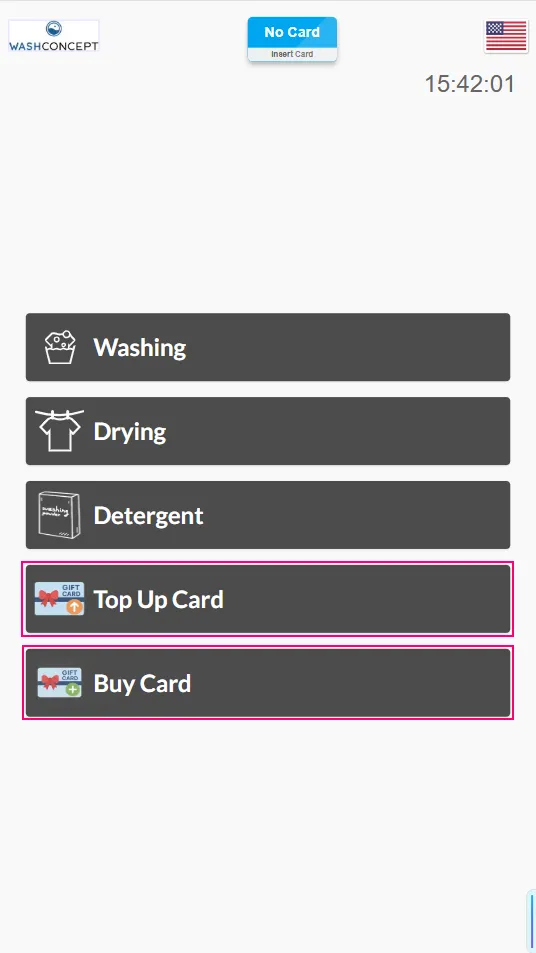
After selecting the option, customers can choose one of the available Gift Card products.
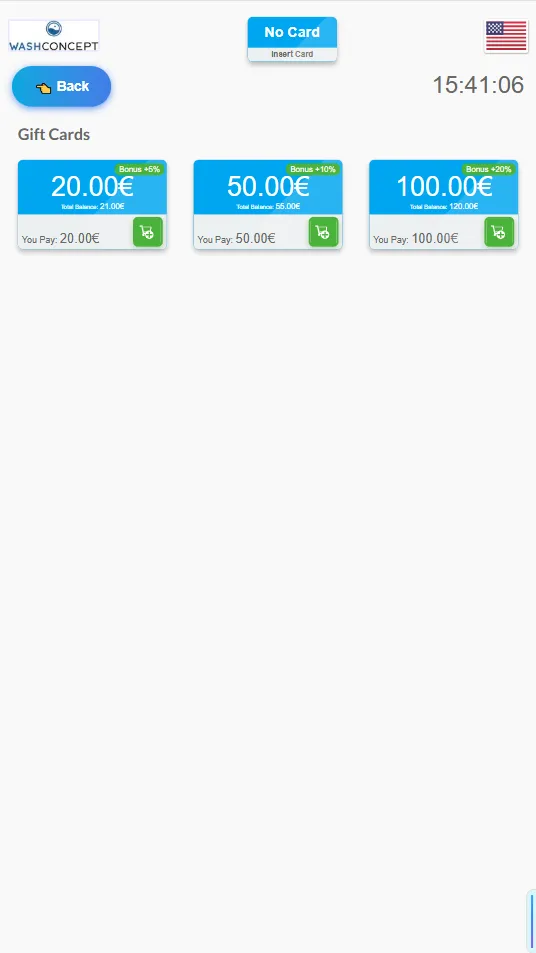
The screen displays:
- Payment amount
- Bonus percentage
- Final balance that will be credited
Example:
- Customer pays €50
- Program bonus is 10%
- Card balance becomes €55
After selecting a card type and completing payment the Card Dispenser issues a new gift card which can immediately be used.
Topping Up an Existing Gift Card
Section titled “Topping Up an Existing Gift Card”Customers can increase their balance using the Top Up Card button.
The process is:
- Scan the existing Gift Card.
- The current balance is displayed.
- Select a top-up amount.
- Complete payment.
- The card balance is increased according to the configured bonus rules.
Available top-up amounts are displayed on the screen.
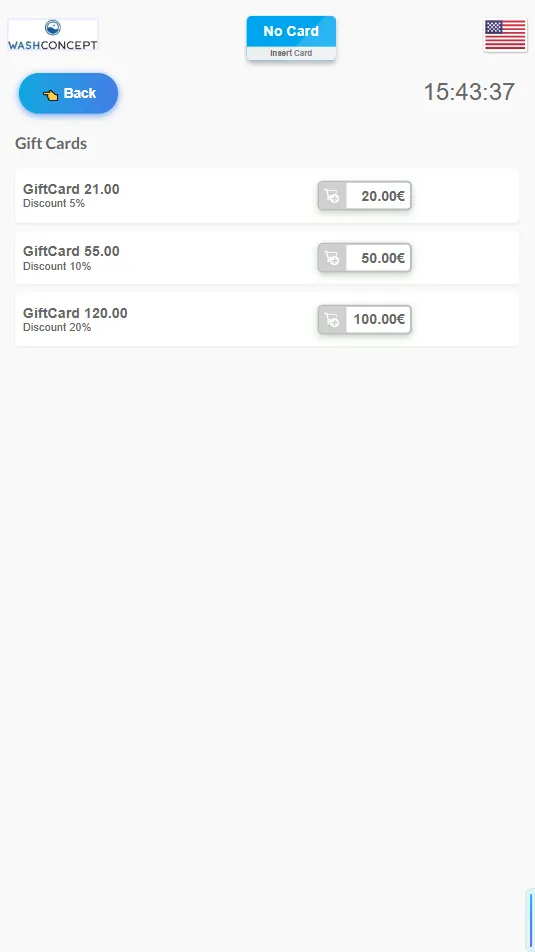
After selecting a top-up value and scanning the Gift card:
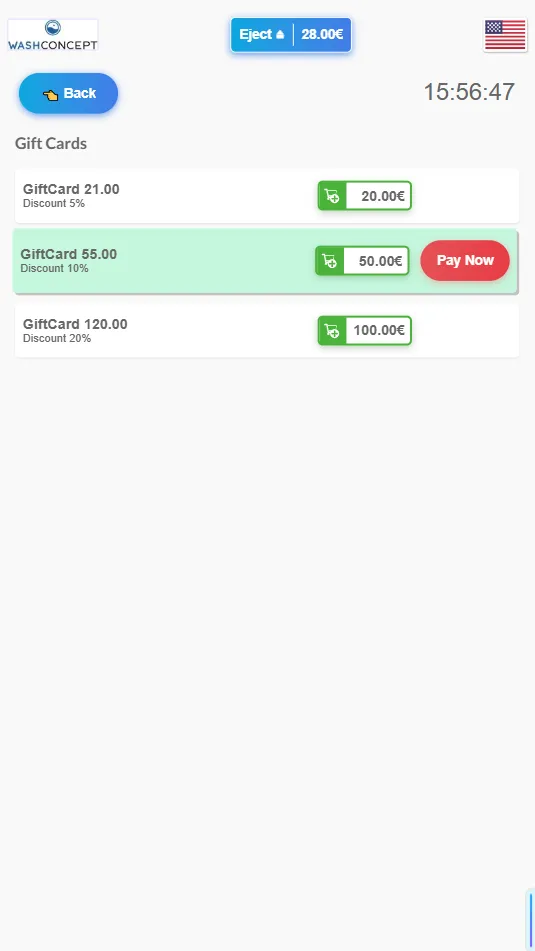
the customer completes the payment and the balance is updated automatically.
Manual Gift Card Registration
Section titled “Manual Gift Card Registration”In some installations, the Vending Unit may not be equipped with a Card Dispenser. In this scenario, gift cards are not issued automatically by the machine and must be registered manually by service personnel.
Customers can use their own RFID or QR cards, which are linked to the Gift Card program after being scanned.
Reading the Card Identifier
Section titled “Reading the Card Identifier”The customer first scans the RFID or QR card using the Scanner device connected to the Vending Unit.
The scanned card code appears in the latest Scanner event.
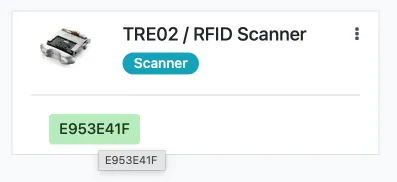
In this example, the scanned card code is E953E41F.
Opening the Gift Card List
Section titled “Opening the Gift Card List”Open the required Vending Unit in the Equipment module.
For convenience, every Vending Unit contains a dedicated Gift Cards button.

Clicking this button opens the list of gift cards associated with the selected Vending Unit.

Creating a New Gift Card
Section titled “Creating a New Gift Card”Click the New button to create a new card manually.

A new Gift Card form will open.
Entering the Card Code
Section titled “Entering the Card Code”In the Code field, enter the card identifier that was previously read by the Scanner.
After saving the record, the card becomes available within the Gift Card program and can be used for:
- Purchasing laundry services
- Paying for vending services
- Future balance top-ups
- Loyalty and bonus programs
Paying for Laundry Services with a Gift Card
Section titled “Paying for Laundry Services with a Gift Card”Gift Cards can be used to pay for laundry services.
A customer first selects a washing, drying, detergent, or other service.
After the service is added to the basket, the Gift Card can be scanned.
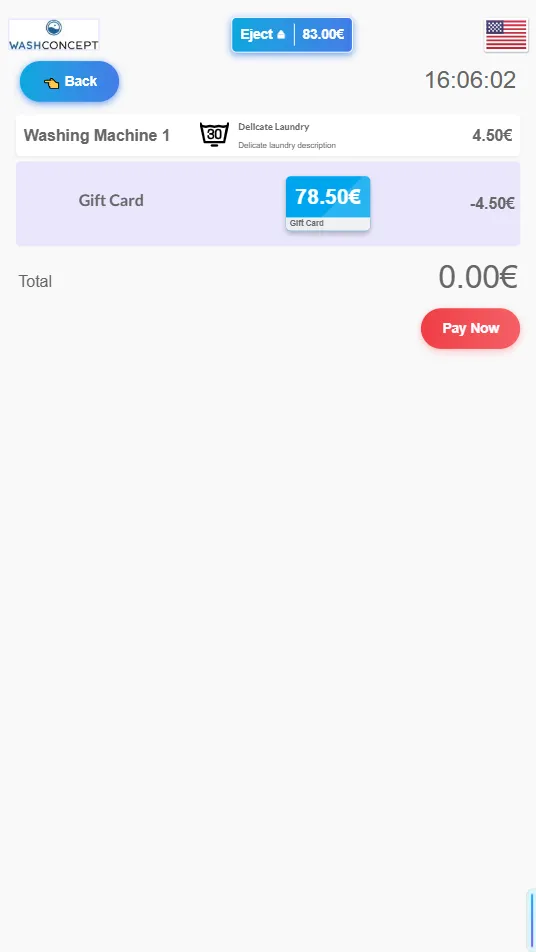
The system deducts the service price from the card balance.
Example:
- Gift Card balance: €83.00
- Washing program price: €4.50
- Remaining balance after payment: €78.50
The transaction is completed without cash or card payment processing.
Gift Cards therefore provide a convenient prepaid payment method for regular customers while encouraging loyalty through configurable bonus credit programs.