Configure Email Sending Frequency
Email sending is performed automatically by a scheduled system process.
This process takes previously created email drafts and sends them to recipients according to the defined schedule.
Where to Configure
Section titled “Where to Configure”Navigate to:
Settings → Technical → Scheduled Actions
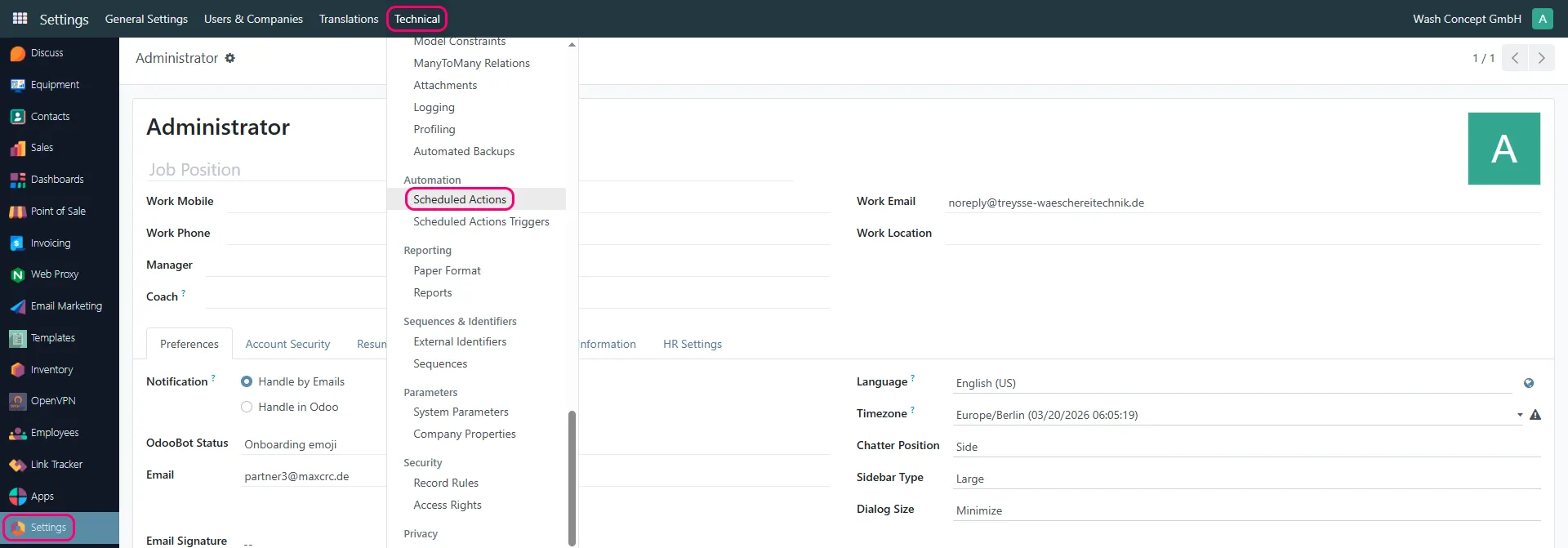
Find the scheduled action:
Mail: Email Queue Manager

Key Parameters
Section titled “Key Parameters”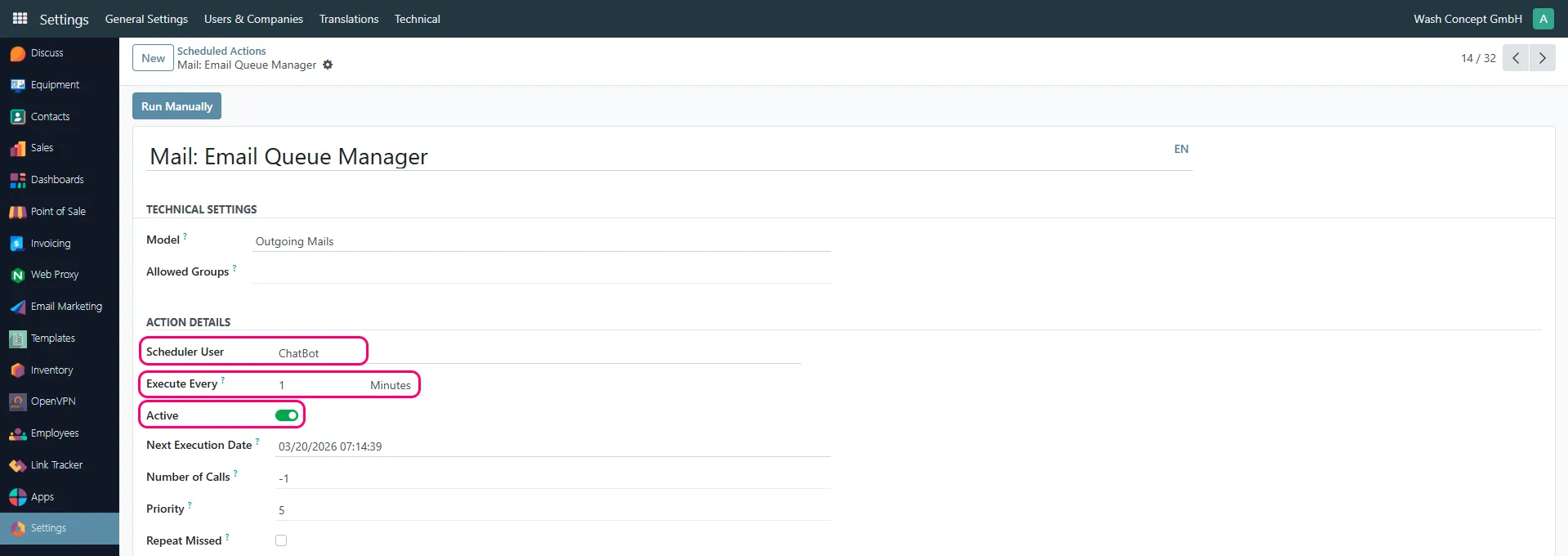
Scheduler User
Section titled “Scheduler User”Defines the system user under which emails are sent.
- Typically a system user (e.g. ChatBot)
Execute Every
Section titled “Execute Every”Defines how often the system attempts to send emails from the queue.
Example:
1 Minute→ emails are sent every minute
⚠️ This parameter controls how quickly prepared notifications are delivered.
Active
Section titled “Active”Enables or disables automatic email sending.
- Enabled → emails are sent automatically
- Disabled → emails remain in draft/queue and are not sent
Next Execution Date
Section titled “Next Execution Date”Displays the next scheduled sending time.
Number of Calls
Section titled “Number of Calls”Defines how many times the action will be executed.
-1→ unlimited (recommended)
Priority
Section titled “Priority”Defines execution priority relative to other scheduled actions.
How It Works
Section titled “How It Works”- Email drafts are created by the draft generation process
- The scheduler runs at the defined interval
- Emails are taken from the queue
- Emails are sent to recipients
Recommendations
Section titled “Recommendations”- Use short intervals (e.g. 1–5 minutes) for timely delivery
- Ensure the action is Active
- This step is responsible only for sending emails
- Draft creation is configured separately
- If disabled, emails will accumulate but not be delivered